If a staff member created the Apps Script job that prepares your Korean shop’s daily worksheet, record the trigger’s creator before changing accounts. Google documents that an installable trigger runs as its creator and can be invisible to another account viewing the same project. Plan a replacement trigger under an authorized operator and verify it before the old owner retires their trigger. [1]
Inventory the job and the account behind it
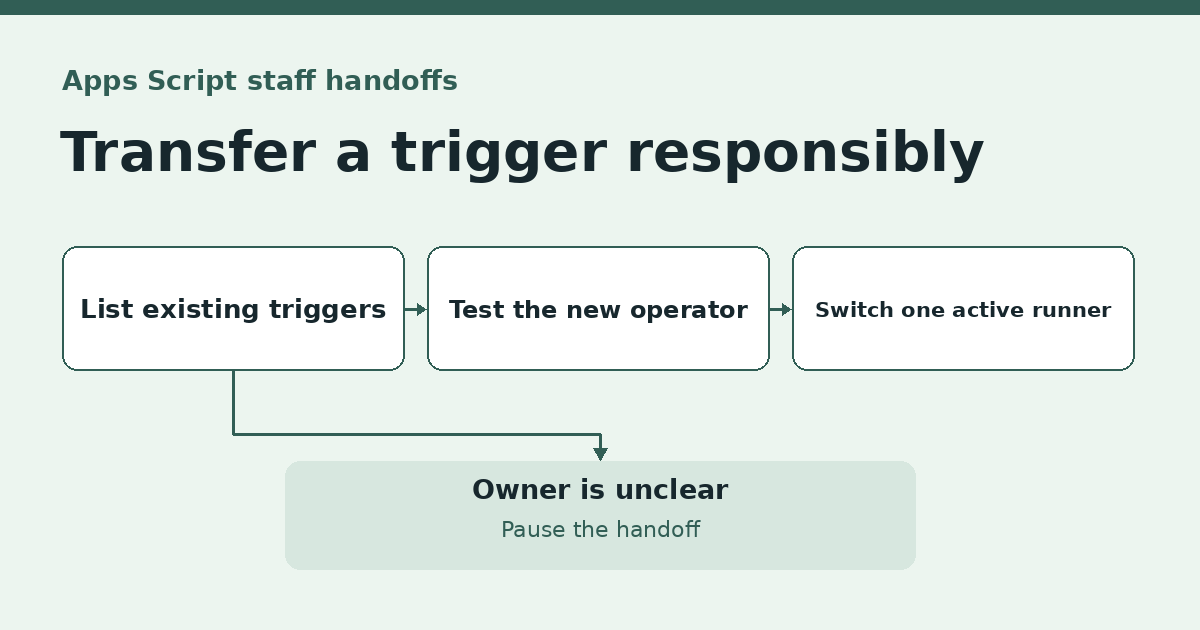
Record the script project, target spreadsheet, handler function, event or schedule, expected output and the account that installed each trigger. Ask the current operator to inspect their triggers and identify any similar jobs created by coworkers. A project visible in Drive does not give you a complete inventory of all installed triggers. [1]
For a Korean daily handoff, also record the project time zone and the local day used for the worksheet. Check whether the handler reads a supplier folder, writes a summary or sends a notification. Have the new operator review access to those specific resources. Keep customer data and credentials out of the handoff notes.
Test the replacement before switching the active job
- Create a test copy with synthetic rows and an isolated output sheet. Have the designated new operator authorize the required services and install the relevant test trigger.
- Observe a real trigger event in that copy. Compare the resulting worksheet and run record with the expected local business date. Google documents that time-driven execution can occur within a selected time window, so verify what the business needs when a job has a strict cutoff. [1]
- Agree on a cutover window. Pause production side effects, have each known owner disable their retired trigger, install the intended replacement, and confirm one active execution path before restoring output.
Detect an incomplete handoff
Give each production business date or input batch a stable run key in the output ledger. Check for a previously completed run before releasing downstream work. For concurrent handlers, the check and claim need a shared atomic mechanism. Treat duplicate-trigger prevention as something to verify in your implementation.
If the first scheduled output is missing, inspect the execution result and new operator’s access. Google’s trigger guide describes failure notifications, so confirm who receives them as part of the handoff. Keep the last approved worksheet available while you repair the job. [1]
Test a missing permission, an overlapping old trigger and a failed output write with synthetic data. Check that staff can identify the failed day, reconcile any partial output and resume that job without creating a second worksheet.
Official sources and claim checks
Official source content opened and checked on November 19, 2026 (KST). Workflow safeguards and example operating procedures are editorial recommendations derived from the documented behavior.
- Installable triggers execute as their creator. One account cannot see another account’s installed triggers. The guide also describes time-driven scheduling and failure notifications. Google Apps Script installable triggers