Category: Automation

  • n8n Workflow JSON Handoff: Inspect Embedded Data Before Sharing

    n8n Workflow JSON Handoff: Inspect Embedded Data Before Sharing

    Before sharing an n8n workflow JSON from a Korean business, inspect the actual file for authentication headers, private sample data and revealing credential names. Supply a dependency checklist and test the import with triggers disabled. n8n warns that exported workflows include credential names and IDs, and some HTTP Request nodes can contain authentication headers. [1]

    Inspect the exported file, not just its canvas

    Use the documented workflow download option for the version your team operates. Open the JSON in a restricted editor and inspect nodes, parameters, expressions, URLs, headers and example values. A recognizable credential reference does not establish that every secret is safely outside the workflow.

    Replace embedded keys and tokens with descriptive placeholders. Remove customer examples, internal addresses and sensitive values from the copy intended for sharing. Give the recipient a separate, approved way to configure credentials in their environment. Keep the untouched original under the business’s controlled storage and record which sanitized copy was handed off.

    Document what the recipient needs

    List the n8n version, required node types, trigger behavior, intended destinations and credential reference labels using nonsecret names. Describe the Korean business-day convention if schedules depend on it. Identify subworkflows or external resources that the JSON references and confirm whether the recipient is authorized to use them.

    The current n8n documentation also describes preview package options. Confirm availability in the installed version before choosing a migration method or assuming what it carries. This guide’s handoff is limited to the reviewed workflow JSON. [1]

    Validate the import before connecting live actions

    1. Import the sanitized file into an isolated test instance under an authorized operator.
    2. Verify that scheduled and externally triggered execution is disabled before connecting it to any live endpoint.
    3. Map test credentials and replace live sends, writes, payments and deletions with controlled preview destinations. Check each materially different route and its exception path.

    If a node or referenced resource is missing, keep activation on hold and resolve it against the dependency list. If a test unexpectedly reaches a live service, stop execution and reconcile that action before another attempt.

    Test one valid synthetic input, one missing credential and one failed destination. Have the receiving operator confirm that the preview output and error behavior match the handoff notes. Retain the approved export version and import test result before an authorized production rollout.
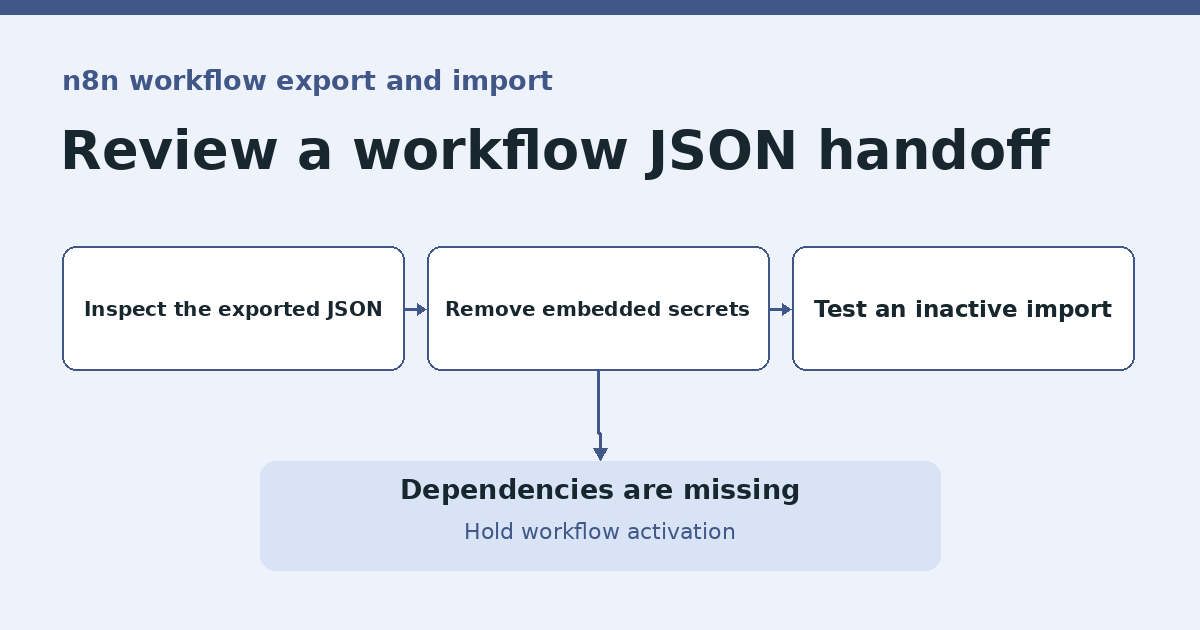
    n8n handoff diagram inspecting JSON, removing embedded secrets and testing an inactive import, with missing dependencies blocking activation.
    Original workflow handoff diagram. This illustration contains no n8n screen, workflow export or credentials. AI-assisted editorial illustration.

    Official sources and claim checks

    Official source content opened and checked on November 22, 2026 (KST). Workflow procedures, operational safeguards and synthetic tests are editorial recommendations based on the documented behavior.

    1. The current guide documents JSON workflow export/import, credential names and IDs in exports, and possible authentication headers in HTTP Request nodes imported from cURL. It distinguishes JSON from newer preview package options. n8n workflow export and import guide
  • Google Drive PDF Reports: Reserve a File ID Before Retrying a Create

    Google Drive PDF Reports: Reserve a File ID Before Retrying a Create

    If your Korean inspection business uploads a PDF report through the Drive API, reserve a provider-generated file ID for that report revision before attempting creation. Persist the mapping and reuse the same ID when recovering an uncertain request. Google documents that a repeated create using an already successful pre-generated ID returns a conflict instead of creating another file. [1][2]

    Give one approved revision one destination identity

    Create an internal report reference tied to the work order and approved revision. Generate a Drive file ID through the documented endpoint and store it under that report reference before the upload worker starts. Freeze the PDF bytes and retain their size and integrity hash. [2]

    Keep a single coordinator for reserving the mapping. Two workers that independently reserve different IDs for the same report would defeat the intended protection. A genuine new report revision needs its own approved mapping policy.

    Scope this procedure to a supported binary PDF upload. The Drive guide explicitly limits pre-generated IDs for most native Google Workspace creation and conversion flows, so test a different document workflow against its own documentation. [1]

    Reconcile the create result by the reserved ID

    1. Submit the PDF creation with its reserved ID and intended parent location. Keep the source bytes unchanged during retries.
    2. On an uncertain timeout, retain the mapping and follow the documented retry behavior for that same identity.
    3. If the response is a conflict, retrieve the reserved file and compare its type, size, location, work-order mapping and expected content. Treat the conflict as a prompt to verify the existing resource. Record completion after the comparison succeeds. [1]

    If the file cannot be read, distinguish an access problem from a missing resource before authorizing replacement. Keep any unresolved mismatch in staff review.

    Test identity and content together

    Use a synthetic PDF and a test folder. Simulate a success with a lost response, a retry returning conflict, two workers competing for one report revision and an existing file whose metadata differs from the expected report.

    Check that the retry preserves the reserved ID, an unexpected file cannot become an approved report and the final task points to one verified PDF. Keep report-sharing messages disconnected until the destination and access checks pass. The linked upload guide covers interrupted byte transfer, while this procedure protects creation identity.

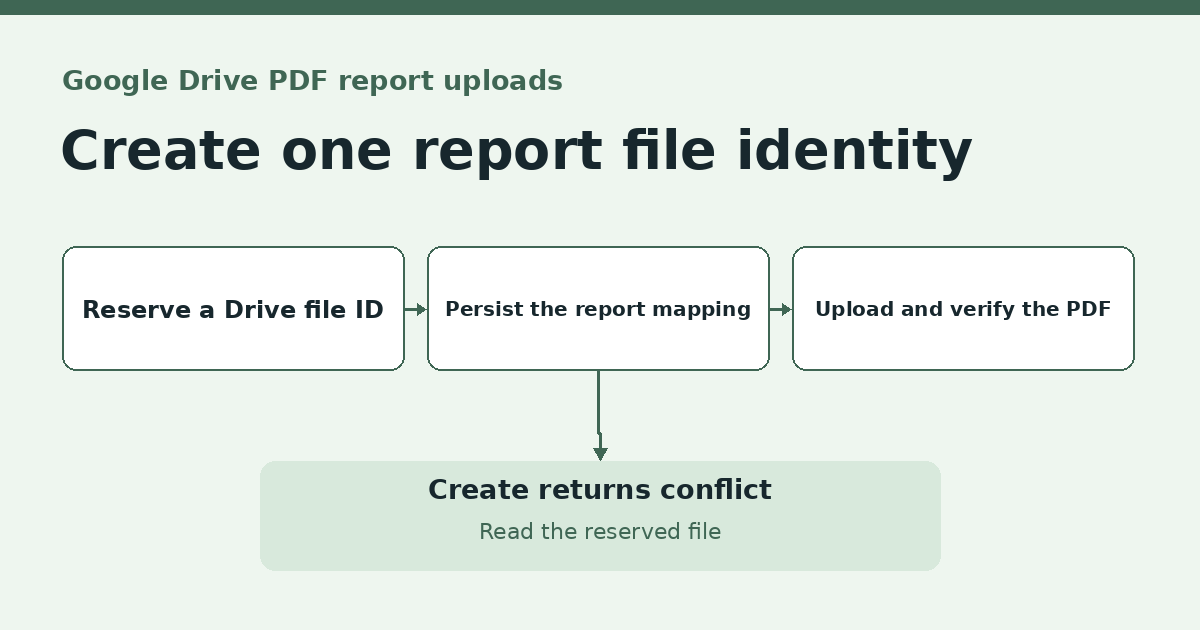
    Drive PDF diagram reserving a file ID, saving its report mapping and verifying the upload, with conflicts resolved by reading that ID.
    Original PDF creation diagram. This illustration contains no Google Drive screen, customer PDF or actual file identifier. AI-assisted editorial illustration.

    Official sources and claim checks

    Official source content opened and checked on November 22, 2026 (KST). Workflow procedures, operational safeguards and synthetic tests are editorial recommendations based on the documented behavior.

    1. Drive supports retrying uploads with a pre-generated ID; a repeated successful create returns 409. The guide excludes creation or conversion of most Google Workspace file formats. Drive upload guide, pre-generated IDs
    2. The endpoint generates file IDs for supported create, copy and upload operations. Drive files.generateIds reference
  • Outlook Service Inbox Delta Sync: Finish the Initial Round Before Saving Its Cursor

    Outlook Service Inbox Delta Sync: Finish the Initial Round Before Saving Its Cursor

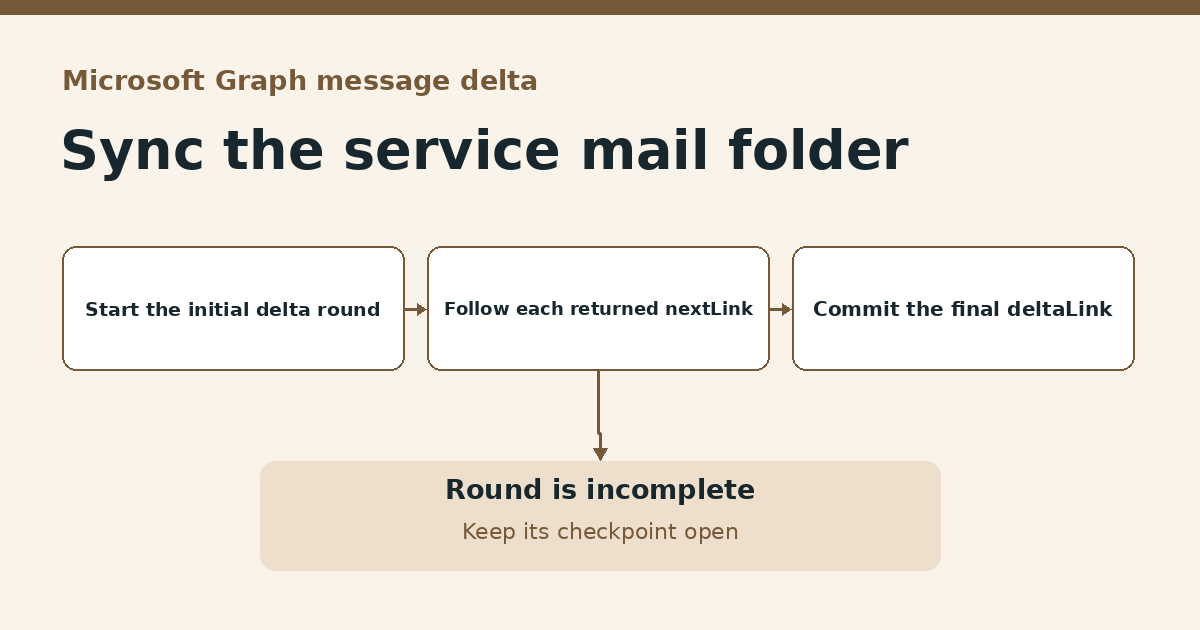
    When a Korean service inbox feeds an Outlook automation, start with the folder’s message delta endpoint and follow every returned nextLink. Save the deltaLink only when the round finishes and its records are durable. Keep the task ledger intact throughout. Microsoft Graph provides the initial synchronization and later changes through this same folder-specific process. [1]

    Define folder scope and message identity first

    Record the mailbox and folder being imported. If a service process watches several folders, maintain a separate delta state for each one. A completed Inbox round cannot establish the state of an archive or another support folder. [1]

    Choose a consistent ID strategy before linking messages to jobs. Microsoft documents immutable Outlook IDs and their supported request header. Verify their mailbox boundaries and use the same format consistently in supported requests. Keep message subjects and customer data out of checkpoint diagnostics. [2]

    Complete the initial round in the provider’s order

    1. Issue the initial delta request with the necessary selected properties and approved scope. Preserve the original job and its folder identity.
    2. Apply the returned records to staging by their message identity. If nextLink is present, call that complete URL unchanged for the next page.
    3. Continue until Graph returns deltaLink. Commit that final URL after the round’s records and exceptions are durable. Use the saved URL unchanged to begin the next incremental round. [1]

    A partial round stays unresolved after a failed page. Reprocessing a page should reconcile the same message records, and any already created job should remain linked to its original message.

    Test changes during the first import

    Send a fictional message while the initial test round is still paging. Complete that round, immediately run another delta round from its returned deltaLink and verify that the new message is represented exactly once in the intake ledger. Also test an update and a move out of the watched folder. A folder removal needs review of the related intake state and must not silently cancel a repair job.

    Avoid adding a received-time filter merely to shorten an unknown workload. Microsoft documents a result limit for that filtered delta use. If your chosen scope is intentionally bounded, describe its coverage and reconcile older work separately. [1]

    Test an interruption before the final deltaLink is saved and confirm that restart cannot report completion before resolving the remaining pages. Keep automatic replies, appointments and billing disabled until this pilot agrees with the mailbox view.

    Outlook synchronization diagram starting an initial delta round, following nextLink pages and saving the final deltaLink, with unfinished rounds kept open.
    Original folder synchronization diagram. This illustration contains no Outlook screen or actual mail. AI-assisted editorial illustration.

    Official sources and claim checks

    Official source content opened and checked on November 22, 2026 (KST). Workflow procedures, operational safeguards and synthetic tests are editorial recommendations based on the documented behavior.

    1. Message delta is per folder. Initial and incremental rounds use returned nextLink and deltaLink URLs. The guide documents query restrictions and a 5,000-message limit when filtering by received time. Microsoft Graph message delta guide
    2. An application can request immutable IDs through the documented Prefer header. Their stability has mailbox boundaries that must be respected. Microsoft Graph immutable Outlook IDs
  • Cloud Scheduler Time Zones: Keep a Korean Daily Report on the Right Date

    Cloud Scheduler Time Zones: Keep a Korean Daily Report on the Right Date

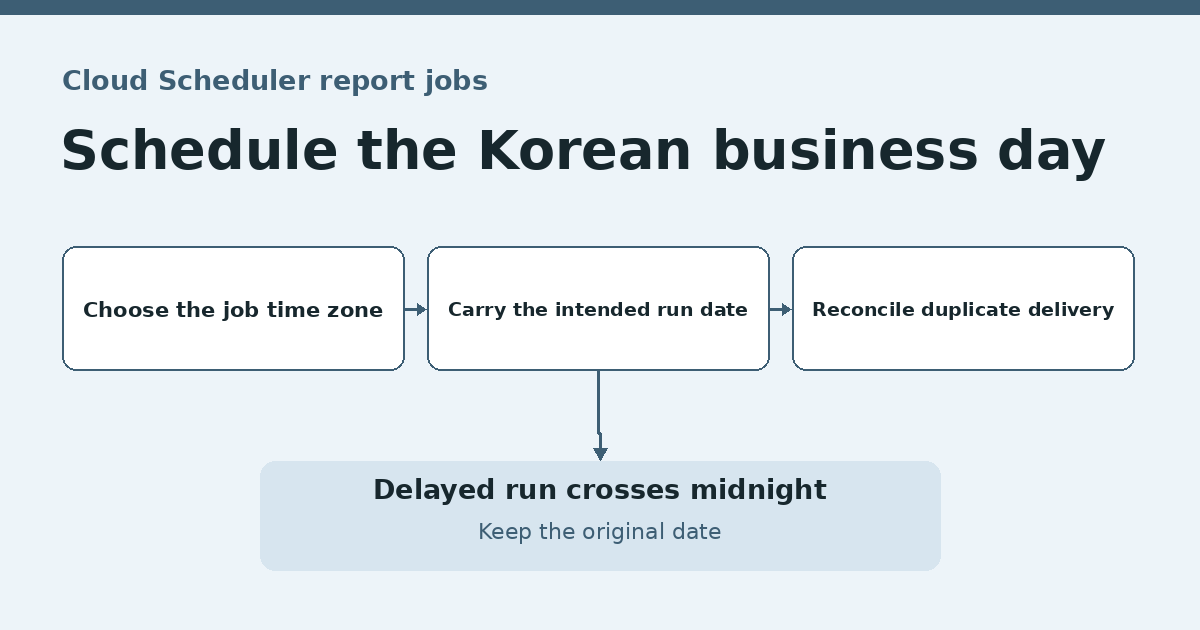
    For a daily report used by a Korean business, set Cloud Scheduler’s time zone deliberately and pass an explicit intended business date through the job. A delayed retry should finish the same report rather than choosing a new date from its arrival time. Cloud Scheduler defaults to UTC and can deliver a scheduled occurrence more than once. [1][2]

    State what the report date means

    Agree whether a morning report summarizes the previous Korea local day or the day just starting. For example, a fictional 9:00 a.m. Korea report might summarize the previous day’s completed jobs. Document that rule next to the schedule and output.

    For a local 9:00 a.m. job, the cron expression is 0 9 * * * when evaluated in Asia/Seoul. The same intended clock time corresponds to 0 0 * * * in UTC. Set the job’s actual time-zone field and preview the next occurrences. A developer’s workstation time zone does not establish how the deployed schedule is evaluated. [1]

    Bind retries to the scheduled occurrence

    1. Have the receiver determine the intended scheduled occurrence from the trusted job contract and derive the report’s business date from that occurrence.
    2. Persist a job key containing the report identity and intended date before producing output. Coordinate workers so only one owns that report at a time.
    3. Stage the report under that key, reconcile the required source coverage and publish it after validation. A repeated delivery should find the existing job and resume or return its recorded result.

    Keep the intended date, delivery time and completion time as separate values in the run record. This lets staff explain why yesterday’s report finished today.

    Review catch-up and calendar boundaries

    The scheduling guide warns that re-enabling the Cloud Scheduler API can immediately deliver jobs missed during its disabled period. Review which report dates need catch-up before restoring an endpoint that can perform external actions. Keep customer sends and billing behind a separate approval step during that review. [1]

    Test a normal run, a repeat of the same occurrence, a retry crossing Korea midnight and several delayed dates arriving close together. Use synthetic input and preview output. Check that each date has one approved result and that missing source data leaves the report visibly incomplete.

    Cloud Scheduler diagram choosing a time zone, carrying the intended run date and reconciling duplicates, with a late run retaining its original date.
    Original scheduled-report diagram. This explanatory illustration contains no Google Cloud screen or business records. AI-assisted editorial illustration.

    Official sources and claim checks

    Official source content opened and checked on November 22, 2026 (KST). Workflow procedures, operational safeguards and synthetic tests are editorial recommendations based on the documented behavior.

    1. The schedule has its own time-zone setting, defaults to UTC and uses wall-clock interpretation. The guide describes daylight-saving anomalies and catch-up after re-enabling the API. Cloud Scheduler cron format and time zone
    2. Cloud Scheduler uses at-least-once delivery and documents that targets must handle repeated execution. Cloud Scheduler overview
  • Slack Incoming Webhook Alerts: Track Posting Separately From Staff Acknowledgment

    Slack Incoming Webhook Alerts: Track Posting Separately From Staff Acknowledgment

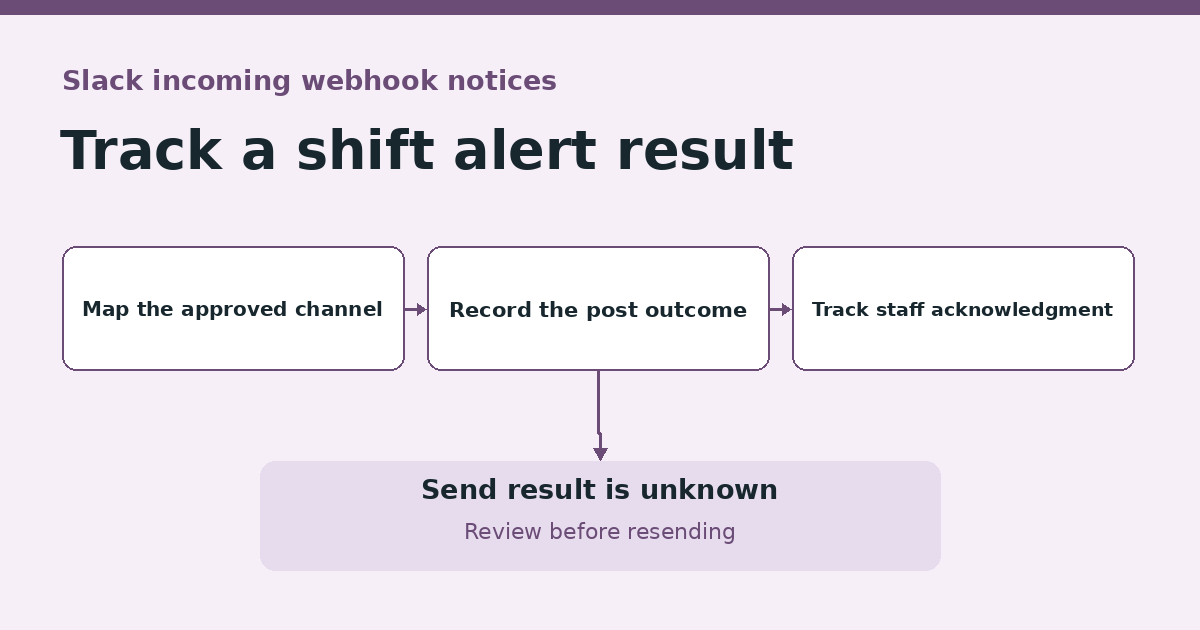
    For a Korean shift team using Slack incoming webhooks, record the outcome of the post and track staff acknowledgment separately. If the sender loses the response, keep the alert unresolved and check the channel before resending. An alert appearing in a room cannot establish that someone accepted the incident. [1]

    Verify the webhook’s destination before connecting an event

    Have the workspace owner approve the app and target channel. Store a branch-to-webhook mapping in the sending service’s protected configuration. Slack documents that each incoming webhook is associated with a channel and that the payload cannot override its default destination. Keep the secret URL out of logs, screenshots and exported workflow files. [1]

    Use a durable internal incident reference in each alert. A fictional notice can contain a branch code, equipment reference, observed condition and Korea local time. Keep customer details out of a room that only needs to know who should investigate.

    Record the post result and the human response

    1. Persist the incident and planned alert before attempting a post. Coordinate send workers around that record so repeated sensor events attach to the same unresolved incident.
    2. Inspect the HTTP response and body. Record a confirmed failure distinctly from a timeout with no usable response.
    3. Give staff a way to acknowledge the incident in the internal tracker. A pending acknowledgment can trigger the team’s approved escalation procedure, using the same incident reference.

    Incoming webhooks do not return the Slack message timestamp. If your implementation needs an API-based reconciliation or a threaded follow-up, review the additional Slack method and permissions required to obtain that timestamp. Otherwise have staff inspect the intended room using the visible incident reference. [1]

    Recover without multiplying the incident

    For a 429 response, honor the returned Retry-After interval and keep a bounded retry budget. For an invalid or disabled destination, stop that route and ask its owner to repair it. Slack’s rate-limit guide describes the throttling response. [2]

    For an unknown result, resolve whether the original post appeared before another attempt. A later duplicate needs an operator’s judgment because the incoming webhook itself cannot delete an already posted message. [1]

    Dry-run a normal response, a rate limit, an unknown send and a staff acknowledgment. Use an isolated room with synthetic incidents and verify that acknowledgment closes escalation while an unknown post remains available for reconciliation.

    Slack alert diagram mapping a channel, recording a post outcome and tracking acknowledgment, with an unknown result reviewed before resend.
    Original shift-alert workflow diagram. This illustration contains no Slack screen, webhook URL or actual message. AI-assisted editorial illustration.

    Official sources and claim checks

    Official source content opened and checked on November 22, 2026 (KST). Workflow procedures, operational safeguards and synthetic tests are editorial recommendations based on the documented behavior.

    1. A webhook URL is secret and tied to a channel. Channel overrides are unavailable, posted messages cannot be deleted through that webhook, and posting does not return a message timestamp. Slack incoming webhook guide
    2. Slack documents limits for incoming webhooks and HTTP 429 responses with Retry-After guidance. Slack rate limits
  • Google Drive Report Handoff: Check Sharing Before Sending the Link

    Google Drive Report Handoff: Check Sharing Before Sending the Link

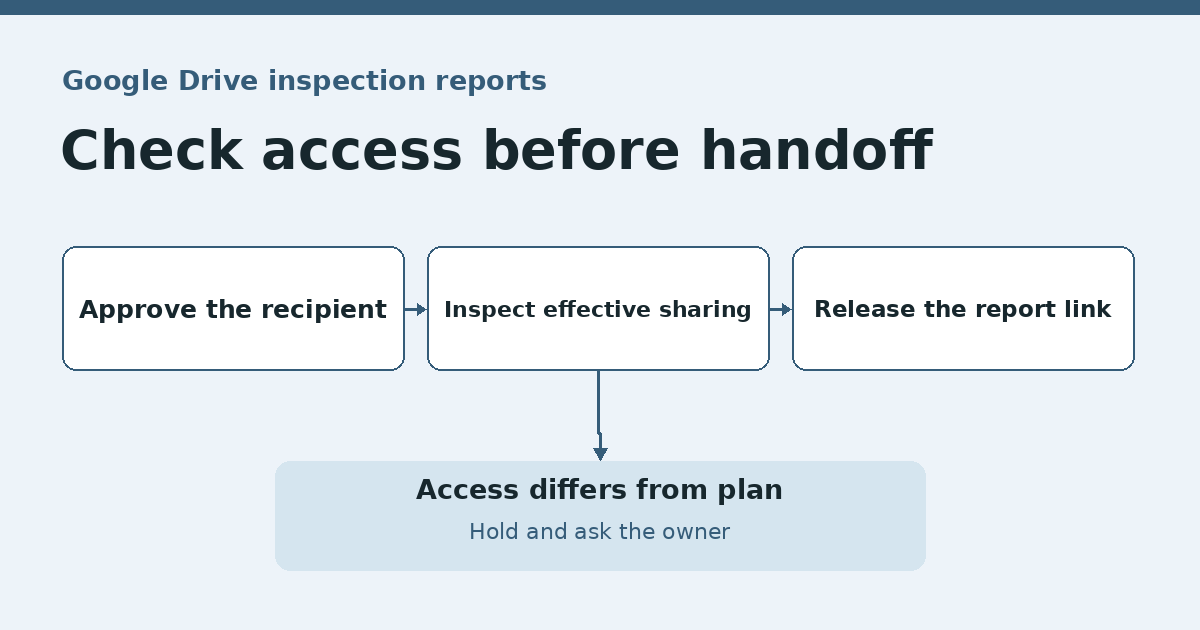
    Before an automation sends a Google Drive inspection-report link, check the approved recipient and the report’s effective sharing. Hold the release if it has unexpected access or if the intended recipient cannot open it. The file link alone does not establish who can view the report; Drive evaluates access through permissions and the signed-in identity. [1]

    Bind the report to an approved recipient plan

    Record the work-order reference, completed report file ID, approved audience and intended access level. Have an authorized operator confirm the recipient through the normal customer record. Keep report contents and email addresses out of broad release logs.

    Use an output location reviewed for that audience. A newly generated report can inherit access from its parent, and a move can change the permissions applied to it. The sharing guide documents propagation and current-user capabilities. Check the relevant parent and drive context when validating the file. [1]

    Make release conditional on the actual access result

    1. Read the report’s permissions with the authorized integration and follow every returned page. Account for shared-drive context where applicable. [2]
    2. Compare visible grants and inheritance with the approved plan. An anyone or domain grant may be wider than intended. Group membership and organizational policy may need administrator confirmation.
    3. Verify the file identity and access using a designated recipient test account in the pilot. Keep the distinction between the integration’s own capabilities and another user’s access. Drive exposes capabilities for the caller, so they do not prove that an external customer can open the report. [1]

    Record the check result and report version before releasing the handoff task. Recheck when the report moves or the audience changes.

    Recover from access that differs from the plan

    If the intended person is blocked, ask the authorized owner to review the relevant permission or sharing policy. If access is broader than planned, hold the link and review the source of that grant. An inherited grant can require action at its parent or a supported limited-access configuration. A broad parent change can affect other work, so keep the proposed change visible for owner review. [1]

    Test with a dummy report in a controlled folder: expected reader, blocked reader, inherited broader audience and incomplete permission paging. Confirm that each mismatch prevents the automated message and leaves a clear owner task.

    Report handoff diagram approving the recipient, inspecting sharing and releasing a link, with a permission mismatch held for the owner.
    Original report-release diagram. This illustration contains no Google Drive screen, real report or recipient. AI-assisted editorial illustration.

    Official sources and claim checks

    Official source content opened and checked on November 21, 2026 (KST). Operating procedures, safeguards and synthetic test cases are editorial recommendations derived from the documented behavior.

    1. Drive permissions identify grantee types and roles. Access follows the ACL and inheritance, and file capabilities describe actions available to the current user. Google Drive sharing guide
    2. The permission list method supports paging and shared-drive handling; read all result pages for the chosen file. Drive permissions.list
  • Make Router Filters: Keep Repair Requests Out of Multiple Dispatch Queues

    Make Router Filters: Keep Repair Requests Out of Multiple Dispatch Queues

    If a Make scenario sends one Korean repair request into several dispatch queues, inspect its route conditions and decide whether the business needs one selected outcome. A Router can process matching routes in sequence. For a single chosen path, use mutually exclusive filters or review the documented If-else behavior, which selects the first true condition. [1][2]

    Normalize bilingual intake before testing filters

    Map the incoming Korean or English category to an internal code before the branch. Retain the original answer in the restricted intake record so staff can resolve an unknown category. Treat a blank answer and an unsupported value as explicit review cases.

    Create a small decision table. For example, the fictional code INSTALL belongs in installation intake, REPAIR in repair intake and UNKNOWN in review. If an urgent flag adds a notification, keep it distinct from the dispatch classification so it cannot silently create a second repair job.

    Preview every outcome

    1. Run synthetic inputs through a copy of the scenario whose destinations only record a preview.
    2. Inspect all matching routes and record their names against the input reference. Route order determines processing sequence, but an earlier match does not establish that subsequent conditions are excluded. [1][2]
    3. If using If-else, put the intended priority in its condition order and verify the first-match result. If staying with Router, make the dispatch filters mutually exclusive and verify that each valid input produces the expected dispatch record. [2]

    Use a fallback for inputs that fit no other route and ensure its own filter does not accidentally exclude the very cases staff need to inspect. Make documents that fallback routes may also have filters. [1]

    Recover from a routing mistake

    If preview shows two dispatch records, repair the conditions before reconnecting live actions. For work already routed incorrectly, reconcile its source reference across queues and have staff choose the authoritative job. Avoid deleting a duplicate record that another team has already started without reviewing its history.

    Test a normal repair, a blank category, an unrecognized Korean value and a request satisfying two broad legacy conditions. Confirm that review cases stay visible and no test sends a customer message, creates an appointment or starts billing.

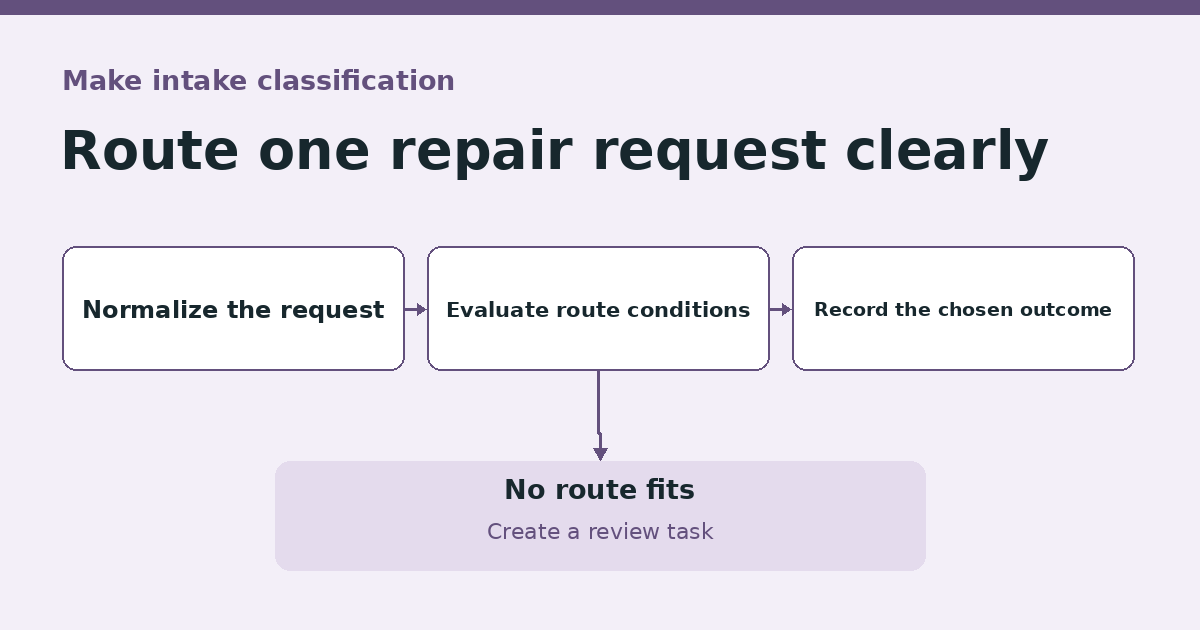
    Make classification diagram normalizing input, evaluating conditions and recording an outcome, with unmatched requests sent to review.
    Original repair-intake routing diagram. This explanatory illustration contains no Make scenario screen. AI-assisted editorial illustration.

    Official sources and claim checks

    Official source content opened and checked on November 21, 2026 (KST). Operating procedures, safeguards and synthetic test cases are editorial recommendations derived from the documented behavior.

    1. The router supports route filters and ordering, processes routes sequentially, and offers a fallback for data that fits no other route. Make Router
    2. The documented If-else behavior selects the first true condition, while Router evaluates routes in order; Merge works with If-else. Make If-else and Merge
  • Power Automate Connection References: Check Dependent Flows Before a Swap

    Power Automate Connection References: Check Dependent Flows Before a Swap

    When a Korean business replaces the connection behind a Power Automate solution reference, first identify every dependent flow and the account and locations the new connection will use. Wait for the reference update to complete, then test the affected paths before resuming jobs. A saved reference is only one part of restoring the workflow. Microsoft documents asynchronous updates and connection permissions for enabling flows. [1]

    Inventory the dependency before changing it

    Record the environment, solution, connection reference, underlying connector account and affected flows. For each dependent flow, list the intended input and output locations. A supplier spreadsheet, SharePoint site or mailbox can have a similar name in another environment, so verify its identity.

    Confirm this is a solution-aware flow using a connection reference. Microsoft explains that flows added from outside a solution do not automatically upgrade to references. Route direct-connection flows through their own verified change procedure. [1]

    Test a replacement with controlled outputs

    1. Create or select an approved connection in the test environment. Have its authorized owner confirm the resources the connector can access.
    2. Map the test reference and inspect the platform’s update progress. Keep dependent test actions under observation until the asynchronous change finishes. [1]
    3. Run a fictional supplier input through each materially different flow path. Verify the actual source, destination, actor and output record. Use an isolated output and prevent customer sends, production file moves or billing.

    Confirm that the person enabling a flow owns or is permitted to use all required connections. Microsoft documents this prerequisite and specific sharing limitations, so avoid assuming that a flow co-owner automatically has access to every connection. [1]

    Cut over and reconcile queued work

    Pause the affected production intake during the planned change. Preserve pending input references and any already completed outputs. Apply the approved mapping, verify completion and test one controlled production path where authorized. Resume the queue only after its source and destination agree with the change record.

    If the connection remains invalid, inspect or repair the underlying connection before repeatedly enabling the flow. When considering rollback, check whether the old connection still works and reconcile actions that may have run under the replacement account. Use one accountable change record for the switch and its verification. [1]

    Simulate an invalid connection, a user lacking enablement permission and a flow pointing to an unintended test folder. Check that each prevents resumption and leaves its queued input available for recovery.

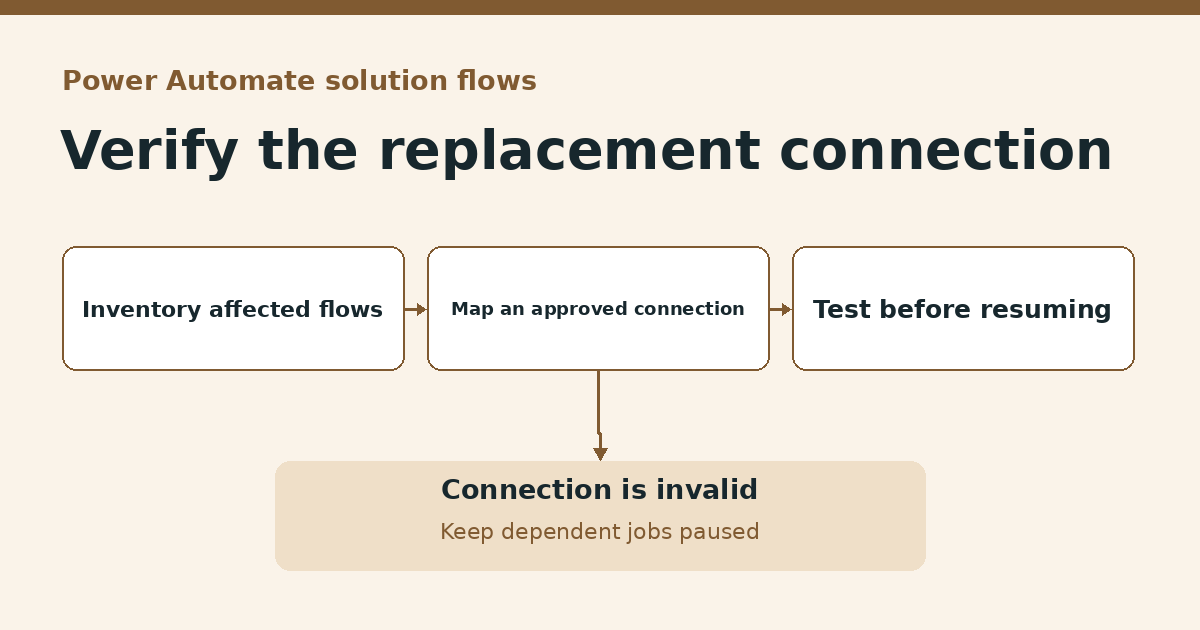
    Connection swap diagram inventorying flows, mapping an approved connection and testing before resuming, with invalid connections keeping jobs paused.
    Original connection-change diagram. This illustration contains no Power Automate screen or account credentials. AI-assisted editorial illustration.

    Official sources and claim checks

    Official source content opened and checked on November 21, 2026 (KST). Operating procedures, safeguards and synthetic test cases are editorial recommendations derived from the documented behavior.

    1. The reference distinguishes a connector connection from a solution connection reference, documents asynchronous reference updates, and describes the permission needed to turn on dependent flows. Microsoft connection references in solutions
  • Google Sheets Append: Verify Where a New Repair Log Row Was Written

    Google Sheets Append: Verify Where a New Repair Log Row Was Written

    When your Korean workshop appends a repair event to Google Sheets, include a stable event reference and inspect the actual updated range returned by the API. Read that row back before marking the event logged. If the client loses the response, locate the event first before approving another append. [1][2]

    Define the log’s table boundary

    Use a dedicated sheet with a consistent header and a clearly defined input range. Keep unrelated summaries and staff notes outside the importer’s table. Google documents that the append range is used to find a logical table and the new values go after its last row. It does not promise that the range’s first cell is always the write destination. [1]

    Give each inspection event its own source key, such as a fictional work reference and event sequence. Preserve the original event time and the Korea local business date in separate fields if the shift report needs both. Use RAW for text fields when literal storage is intended and verify the resulting value. [3]

    Reconcile the append with the event ledger

    1. Claim the event in a durable internal ledger before sending. Coordinate all import workers using that claim. A spreadsheet search followed by append is vulnerable to two simultaneous workers that both see no matching row.
    2. Submit the append and record the returned updatedRange. tableRange describes the detected table before the append; use the update details to locate the cells that changed. [1][2]
    3. Read back the event key and expected values in that range. Mark the event logged only after the comparison succeeds. If several rows or an unexpected location changed, hold the batch for review.

    Handle a lost response

    Keep the event in an unknown state. Search the complete relevant log area for its key, accounting for any pagination or range limits in your reader. One matching row with the expected values can be adopted after verification. Multiple matches or a mismatched payload need staff review.

    If there is no match, confirm that the original request is no longer in flight before authorizing another write. Preserve every attempt under the same event reference.

    Test a clean append, a table with a separated notes block, a response lost after success and two workers trying the same event. Check that an uncertain write remains unresolved and a repeated event never becomes a second approved log entry.

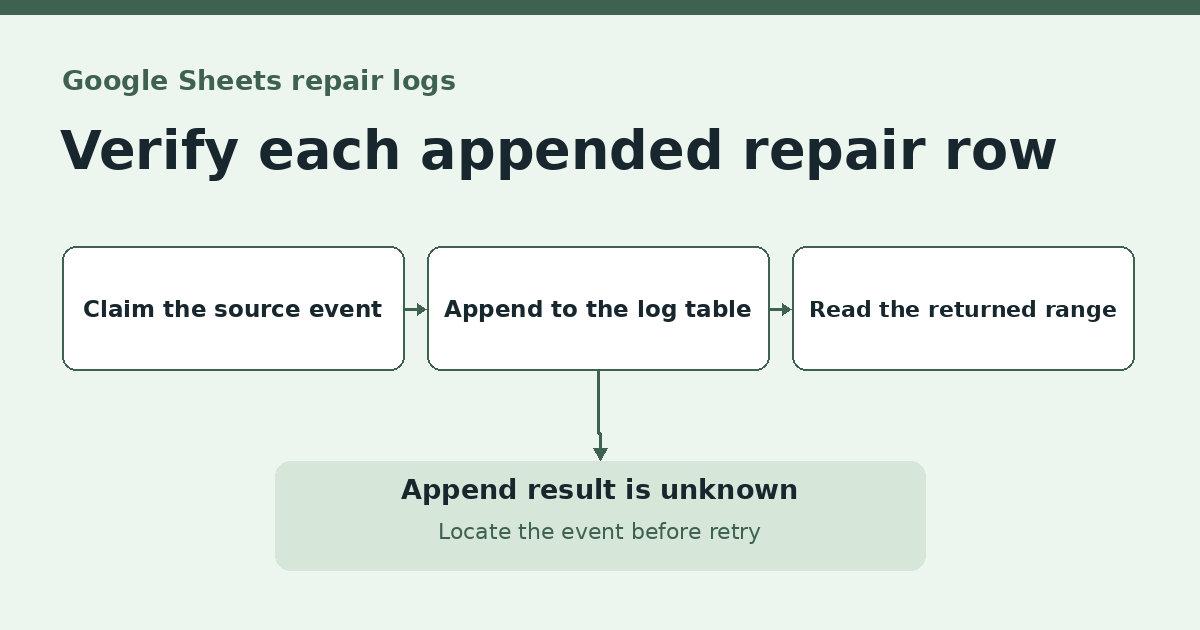
    Repair-log diagram claiming a source event, appending to its table and reading the returned range, with unknown results located before retry.
    Original append verification diagram. This illustration contains no Google Sheets screen or customer records. AI-assisted editorial illustration.

    Official sources and claim checks

    Official source content opened and checked on November 21, 2026 (KST). Operating procedures, safeguards and synthetic test cases are editorial recommendations derived from the documented behavior.

    1. The requested range identifies a logical table and rows append after that table. The response distinguishes the pre-append tableRange from the updates details. Sheets values.append reference
    2. The update result includes updatedRange and counts for the cells, rows and columns changed. Sheets UpdateValuesResponse
    3. RAW and USER_ENTERED control value interpretation, not an exactly-once delivery guarantee. Sheets ValueInputOption
  • Google Forms Repair Intake: Import Responses Without Duplicate Jobs

    Google Forms Repair Intake: Import Responses Without Duplicate Jobs

    For a Korean repair business collecting requests in Google Forms, identify an imported submission by its form ID and response ID. Update that intake record when the same response changes, and let staff review any effect on an existing appointment. A second read of the response should resolve to the same intake record. [1][2]

    Map answers before creating jobs

    Record the chosen form ID and map its question IDs to your internal fields, such as equipment type, symptom and branch. The response object keys answers by question ID, which gives the importer a mapping independent of the visible Korean or English question label. Hold responses whose required question mapping is missing. [2]

    Keep the raw response accessible only to the staff who need it. General notifications can use an internal reference, branch and next action. Build the first pilot from fictional answers and keep appointment confirmation and billing disconnected.

    Read and reconcile the complete polling window

    1. Query the intended form and retain that form ID with every response. Google’s list method omits formId from individual results, so the importer needs the request context. Follow nextPageToken while preserving the original filter. [1]
    2. Upsert the staged intake record by the form-and-response pair. Compare the recorded lastSubmittedTime and the relevant answers. Suppress a second job when the same result is read again. [2]
    3. Keep a bounded overlap between polling windows and reconcile repeated response IDs. Commit the window only after all pages and validation exceptions are recorded. Verify how edited submissions interact with timestamp filtering in your actual form before relying on it for change capture.

    For a response that already produced a scheduled visit, create a review task if a relevant answer changes. Have staff decide whether to amend that job. Store which response revision supported the earlier action.

    Recover from missing pages or changed questions

    A failed result page leaves the window incomplete. Retry that page into the same staging records and preserve the previous completed checkpoint. If a form owner replaces a question, hold unmapped answers until the operator approves a revised mapping. Keep an explicit empty value distinct from an unreadable response.

    Test with two synthetic responses, a repeated first response, an edited symptom and a failure on a later page. Check that the repeated read creates no additional job, the edit reaches review and the failed page prevents the run from reporting completion.

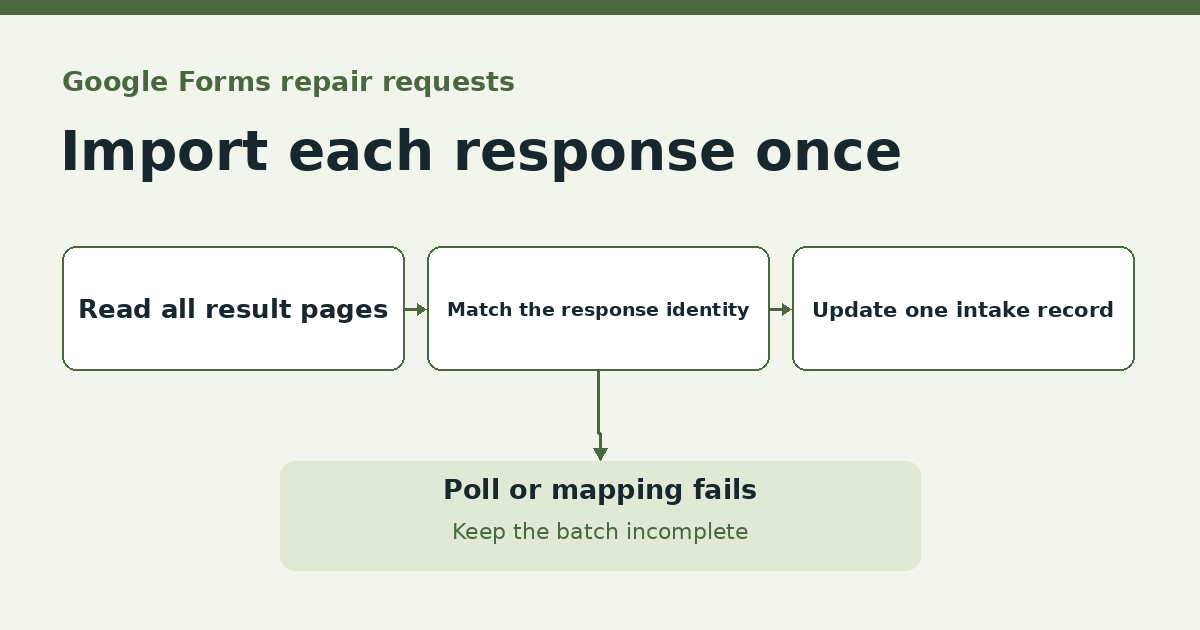
    Forms import diagram reading all pages, matching response identity and updating one intake record, with failed polling or mapping leaving the batch incomplete.
    Original diagram of a form-response importer. This illustration contains no Google Forms screen or customer answers.

    Official sources and claim checks

    Official source content opened and checked on November 20, 2026 (KST). The operating procedures, safeguards and synthetic tests are editorial recommendations based on that documented behavior.

    1. The list method supports timestamp filters in UTC, page tokens and a nextPageToken. Form identity must be retained because list results omit formId. Google Forms responses list
    2. Response records expose responseId, createTime, lastSubmittedTime and answers keyed by questionId. Google Forms response resource