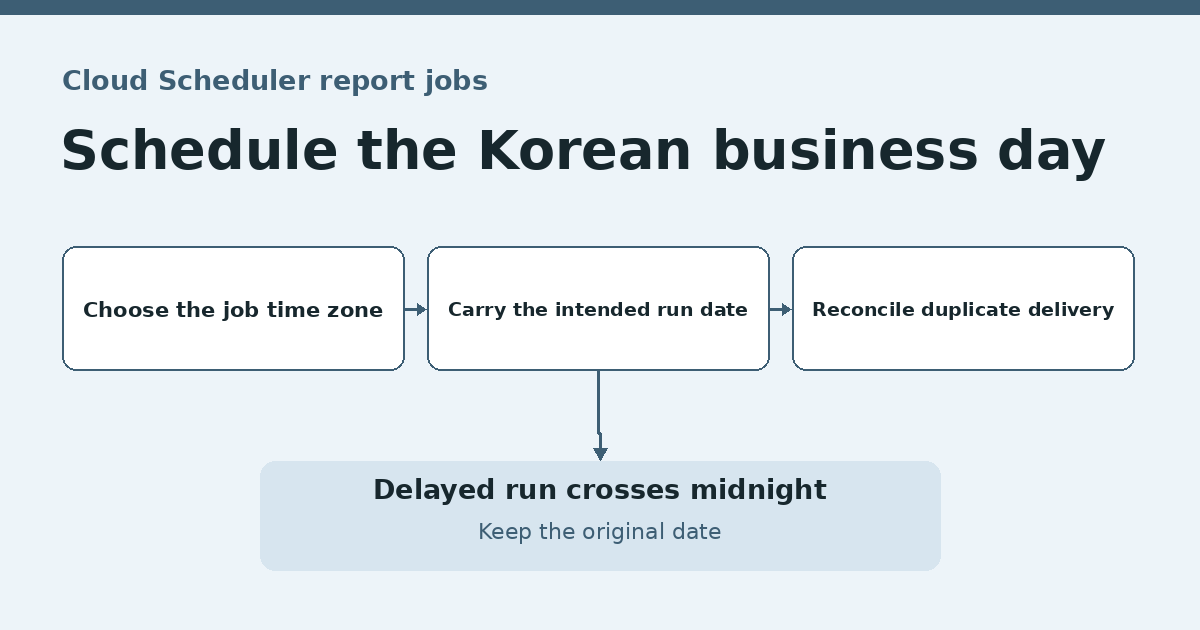
For a daily report used by a Korean business, set Cloud Scheduler’s time zone deliberately and pass an explicit intended business date through the job. A delayed retry should finish the same report rather than choosing a new date from its arrival time. Cloud Scheduler defaults to UTC and can deliver a scheduled occurrence more than once. [1][2]
State what the report date means
Agree whether a morning report summarizes the previous Korea local day or the day just starting. For example, a fictional 9:00 a.m. Korea report might summarize the previous day’s completed jobs. Document that rule next to the schedule and output.
For a local 9:00 a.m. job, the cron expression is 0 9 * * * when evaluated in Asia/Seoul. The same intended clock time corresponds to 0 0 * * * in UTC. Set the job’s actual time-zone field and preview the next occurrences. A developer’s workstation time zone does not establish how the deployed schedule is evaluated. [1]
Bind retries to the scheduled occurrence
- Have the receiver determine the intended scheduled occurrence from the trusted job contract and derive the report’s business date from that occurrence.
- Persist a job key containing the report identity and intended date before producing output. Coordinate workers so only one owns that report at a time.
- Stage the report under that key, reconcile the required source coverage and publish it after validation. A repeated delivery should find the existing job and resume or return its recorded result.
Keep the intended date, delivery time and completion time as separate values in the run record. This lets staff explain why yesterday’s report finished today.
Review catch-up and calendar boundaries
The scheduling guide warns that re-enabling the Cloud Scheduler API can immediately deliver jobs missed during its disabled period. Review which report dates need catch-up before restoring an endpoint that can perform external actions. Keep customer sends and billing behind a separate approval step during that review. [1]
Test a normal run, a repeat of the same occurrence, a retry crossing Korea midnight and several delayed dates arriving close together. Use synthetic input and preview output. Check that each date has one approved result and that missing source data leaves the report visibly incomplete.
Official sources and claim checks
Official source content opened and checked on November 22, 2026 (KST). Workflow procedures, operational safeguards and synthetic tests are editorial recommendations based on the documented behavior.
- The schedule has its own time-zone setting, defaults to UTC and uses wall-clock interpretation. The guide describes daylight-saving anomalies and catch-up after re-enabling the API. Cloud Scheduler cron format and time zone
- Cloud Scheduler uses at-least-once delivery and documents that targets must handle repeated execution. Cloud Scheduler overview