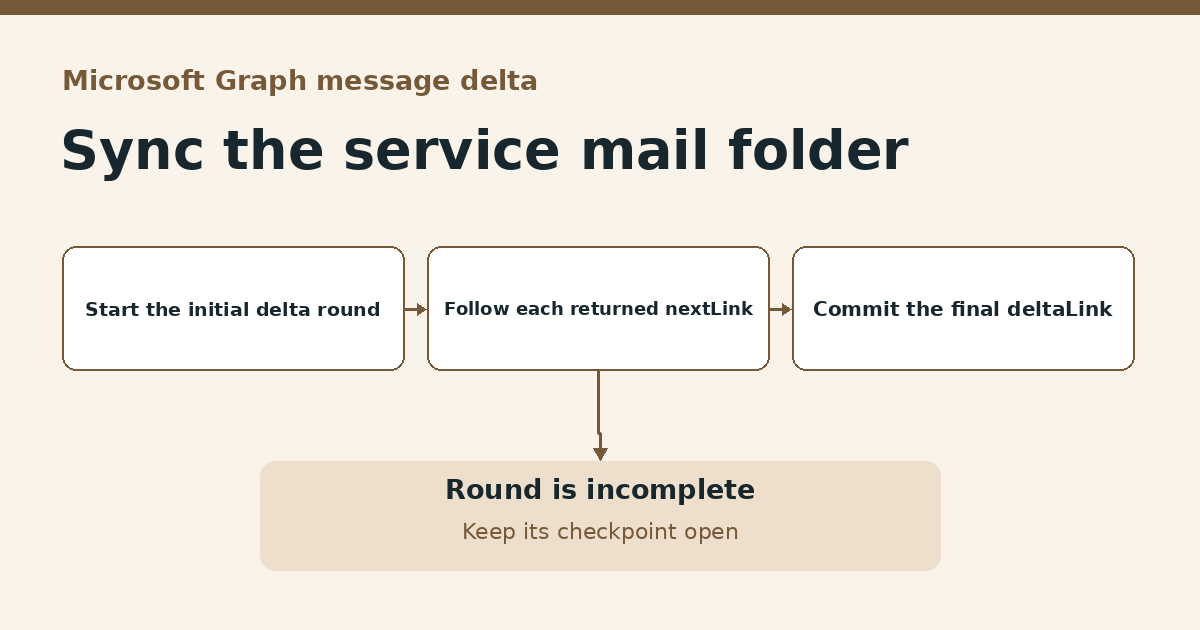
When a Korean service inbox feeds an Outlook automation, start with the folder’s message delta endpoint and follow every returned nextLink. Save the deltaLink only when the round finishes and its records are durable. Keep the task ledger intact throughout. Microsoft Graph provides the initial synchronization and later changes through this same folder-specific process. [1]
Define folder scope and message identity first
Record the mailbox and folder being imported. If a service process watches several folders, maintain a separate delta state for each one. A completed Inbox round cannot establish the state of an archive or another support folder. [1]
Choose a consistent ID strategy before linking messages to jobs. Microsoft documents immutable Outlook IDs and their supported request header. Verify their mailbox boundaries and use the same format consistently in supported requests. Keep message subjects and customer data out of checkpoint diagnostics. [2]
Complete the initial round in the provider’s order
- Issue the initial delta request with the necessary selected properties and approved scope. Preserve the original job and its folder identity.
- Apply the returned records to staging by their message identity. If nextLink is present, call that complete URL unchanged for the next page.
- Continue until Graph returns deltaLink. Commit that final URL after the round’s records and exceptions are durable. Use the saved URL unchanged to begin the next incremental round. [1]
A partial round stays unresolved after a failed page. Reprocessing a page should reconcile the same message records, and any already created job should remain linked to its original message.
Test changes during the first import
Send a fictional message while the initial test round is still paging. Complete that round, immediately run another delta round from its returned deltaLink and verify that the new message is represented exactly once in the intake ledger. Also test an update and a move out of the watched folder. A folder removal needs review of the related intake state and must not silently cancel a repair job.
Avoid adding a received-time filter merely to shorten an unknown workload. Microsoft documents a result limit for that filtered delta use. If your chosen scope is intentionally bounded, describe its coverage and reconcile older work separately. [1]
Test an interruption before the final deltaLink is saved and confirm that restart cannot report completion before resolving the remaining pages. Keep automatic replies, appointments and billing disabled until this pilot agrees with the mailbox view.
Official sources and claim checks
Official source content opened and checked on November 22, 2026 (KST). Workflow procedures, operational safeguards and synthetic tests are editorial recommendations based on the documented behavior.
- Message delta is per folder. Initial and incremental rounds use returned nextLink and deltaLink URLs. The guide documents query restrictions and a 5,000-message limit when filtering by received time. Microsoft Graph message delta guide
- An application can request immutable IDs through the documented Prefer header. Their stability has mailbox boundaries that must be respected. Microsoft Graph immutable Outlook IDs