Before sharing an n8n workflow JSON from a Korean business, inspect the actual file for authentication headers, private sample data and revealing credential names. Supply a dependency checklist and test the import with triggers disabled. n8n warns that exported workflows include credential names and IDs, and some HTTP Request nodes can contain authentication headers. [1]
Inspect the exported file, not just its canvas
Use the documented workflow download option for the version your team operates. Open the JSON in a restricted editor and inspect nodes, parameters, expressions, URLs, headers and example values. A recognizable credential reference does not establish that every secret is safely outside the workflow.
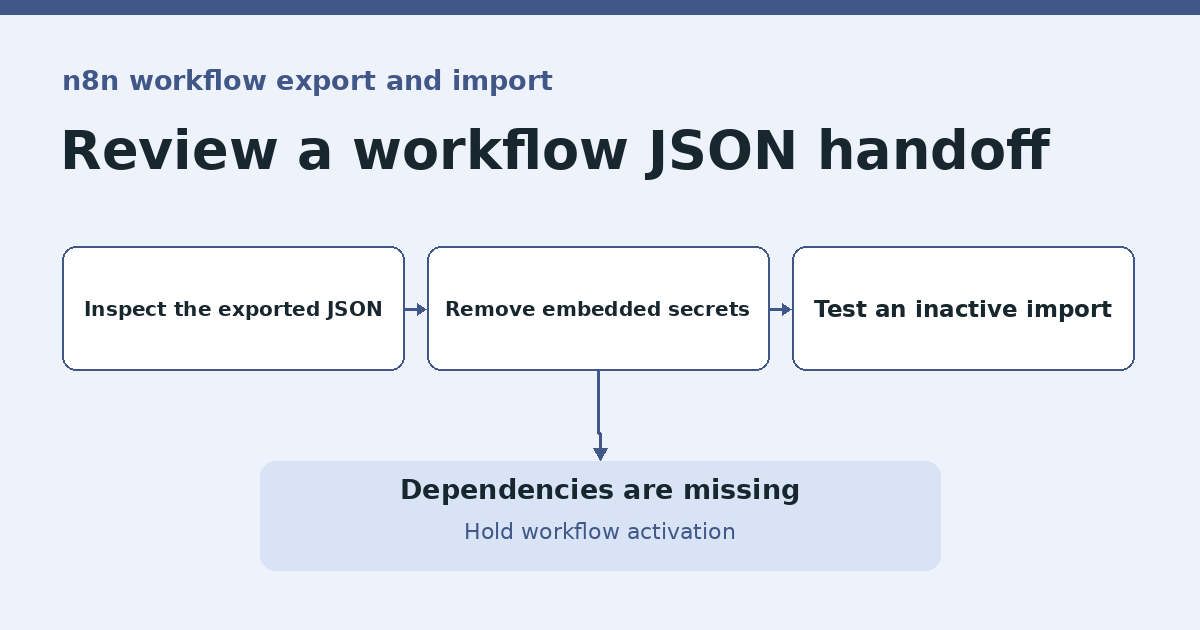
Replace embedded keys and tokens with descriptive placeholders. Remove customer examples, internal addresses and sensitive values from the copy intended for sharing. Give the recipient a separate, approved way to configure credentials in their environment. Keep the untouched original under the business’s controlled storage and record which sanitized copy was handed off.
Document what the recipient needs
List the n8n version, required node types, trigger behavior, intended destinations and credential reference labels using nonsecret names. Describe the Korean business-day convention if schedules depend on it. Identify subworkflows or external resources that the JSON references and confirm whether the recipient is authorized to use them.
The current n8n documentation also describes preview package options. Confirm availability in the installed version before choosing a migration method or assuming what it carries. This guide’s handoff is limited to the reviewed workflow JSON. [1]
Validate the import before connecting live actions
- Import the sanitized file into an isolated test instance under an authorized operator.
- Verify that scheduled and externally triggered execution is disabled before connecting it to any live endpoint.
- Map test credentials and replace live sends, writes, payments and deletions with controlled preview destinations. Check each materially different route and its exception path.
If a node or referenced resource is missing, keep activation on hold and resolve it against the dependency list. If a test unexpectedly reaches a live service, stop execution and reconcile that action before another attempt.
Test one valid synthetic input, one missing credential and one failed destination. Have the receiving operator confirm that the preview output and error behavior match the handoff notes. Retain the approved export version and import test result before an authorized production rollout.
Official sources and claim checks
Official source content opened and checked on November 22, 2026 (KST). Workflow procedures, operational safeguards and synthetic tests are editorial recommendations based on the documented behavior.
- The current guide documents JSON workflow export/import, credential names and IDs in exports, and possible authentication headers in HTTP Request nodes imported from cURL. It distinguishes JSON from newer preview package options. n8n workflow export and import guide