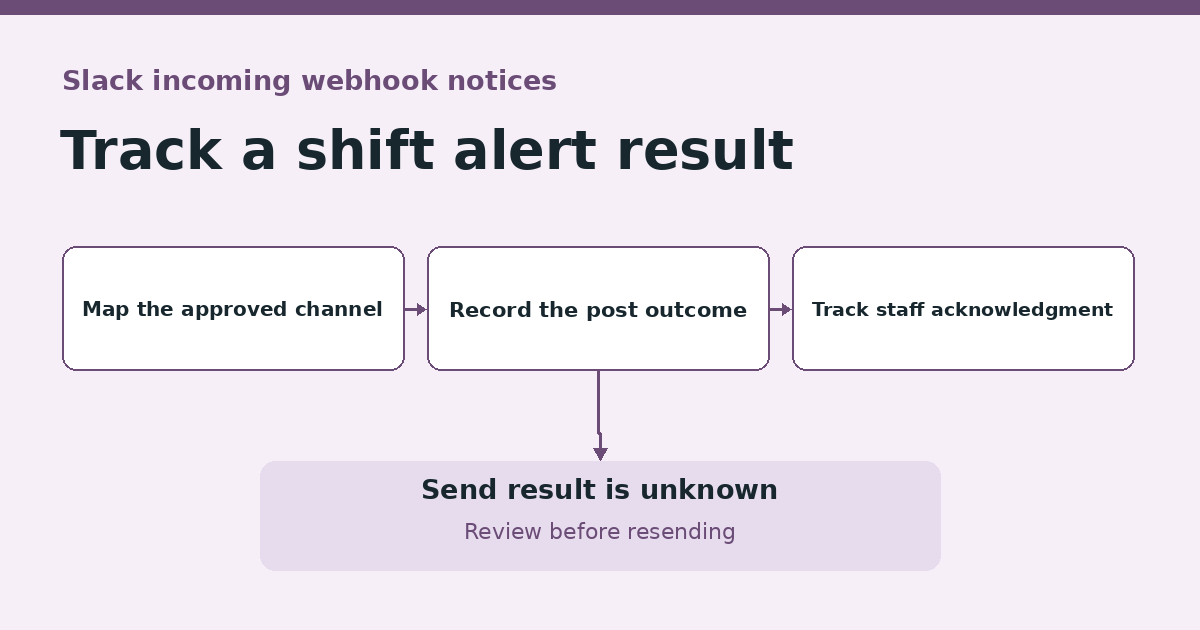
For a Korean shift team using Slack incoming webhooks, record the outcome of the post and track staff acknowledgment separately. If the sender loses the response, keep the alert unresolved and check the channel before resending. An alert appearing in a room cannot establish that someone accepted the incident. [1]
Verify the webhook’s destination before connecting an event
Have the workspace owner approve the app and target channel. Store a branch-to-webhook mapping in the sending service’s protected configuration. Slack documents that each incoming webhook is associated with a channel and that the payload cannot override its default destination. Keep the secret URL out of logs, screenshots and exported workflow files. [1]
Use a durable internal incident reference in each alert. A fictional notice can contain a branch code, equipment reference, observed condition and Korea local time. Keep customer details out of a room that only needs to know who should investigate.
Record the post result and the human response
- Persist the incident and planned alert before attempting a post. Coordinate send workers around that record so repeated sensor events attach to the same unresolved incident.
- Inspect the HTTP response and body. Record a confirmed failure distinctly from a timeout with no usable response.
- Give staff a way to acknowledge the incident in the internal tracker. A pending acknowledgment can trigger the team’s approved escalation procedure, using the same incident reference.
Incoming webhooks do not return the Slack message timestamp. If your implementation needs an API-based reconciliation or a threaded follow-up, review the additional Slack method and permissions required to obtain that timestamp. Otherwise have staff inspect the intended room using the visible incident reference. [1]
Recover without multiplying the incident
For a 429 response, honor the returned Retry-After interval and keep a bounded retry budget. For an invalid or disabled destination, stop that route and ask its owner to repair it. Slack’s rate-limit guide describes the throttling response. [2]
For an unknown result, resolve whether the original post appeared before another attempt. A later duplicate needs an operator’s judgment because the incoming webhook itself cannot delete an already posted message. [1]
Dry-run a normal response, a rate limit, an unknown send and a staff acknowledgment. Use an isolated room with synthetic incidents and verify that acknowledgment closes escalation while an unknown post remains available for reconciliation.
Official sources and claim checks
Official source content opened and checked on November 22, 2026 (KST). Workflow procedures, operational safeguards and synthetic tests are editorial recommendations based on the documented behavior.
- A webhook URL is secret and tied to a channel. Channel overrides are unavailable, posted messages cannot be deleted through that webhook, and posting does not return a message timestamp. Slack incoming webhook guide
- Slack documents limits for incoming webhooks and HTTP 429 responses with Retry-After guidance. Slack rate limits