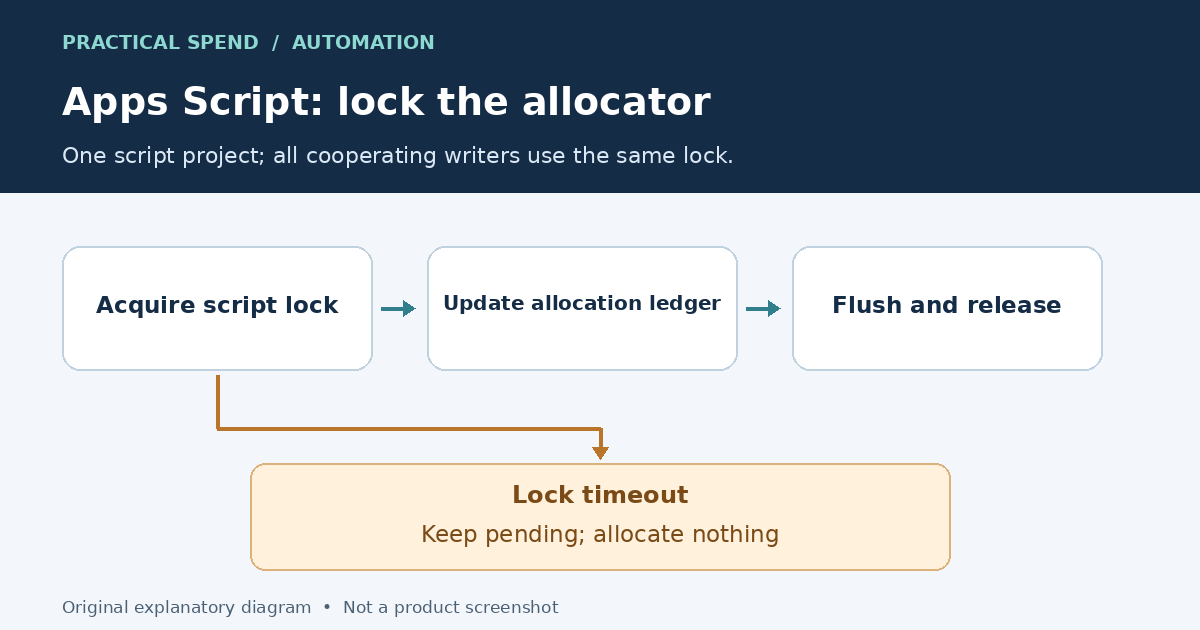
Use LockService.getScriptLock() around the shared allocation section when multiple submissions in the same Apps Script project need internal service-job numbers. Acquire the lock before reading or changing the ledger, and keep a stable source-to-number mapping so a repeated submission can recover its existing assignment.
This fits a small Korean repair business using English internal job references. It is not a scheme for legally regulated invoice numbering, and it does not promise a gapless sequence.
Choose the correct lock boundary
A user lock allows different users to run concurrently; a script lock coordinates the guarded section across users of that script. Getting the lock object does not acquire it: call tryLock or waitLock before entering the section.[1]
All cooperating allocation paths must use the same script-scoped lock. Another script project, a direct spreadsheet edit, or an external API writer is outside that boundary. Restrict counter edits and designate one allocator. If multiple independent applications must allocate, move the operation to storage with an appropriate transactional constraint.
Keep allocation and repeat detection together
Give each fictional request a stable source key, such as test-form-response-017. Under the acquired lock, look for its existing mapping first. If found and valid, return that number rather than incrementing again.
For a spreadsheet-only design, prefer an append-only allocation ledger whose row contains the source key, assigned number, and status. Read existing assignments and derive the next number inside the lock. Avoid an independently updated counter cell unless you also implement recovery for a counter advance whose mapping write fails.
Validate the persisted row before declaring the request allocated. Call SpreadsheetApp.flush() before releasing a lock that protects pending spreadsheet changes, as Google recommends.[2] A flush is not a multi-write transaction or a guarantee against every interruption.
Handle contention and uncertain writes
tryLock returns false on timeout; waitLock throws.[2] If acquisition fails, leave the request pending and schedule a controlled retry. Never fall through to the allocation code. Release an acquired lock in a finally block after finishing the protected work.
If execution stops during a write, reacquire the lock and inspect the ledger before retrying. If the row is incomplete or duplicate source keys appear, stop allocation and reconcile the inconsistency. Do not guess which number belongs to which job. Preserve gaps rather than renumbering already referenced jobs.
Keep slow email delivery or document rendering outside the allocation lock. Give those later steps their own status and retry controls.
Test with fictional submissions
Run simultaneous distinct submissions, two deliveries of the same source key, a forced lock timeout, and an interruption near persistence. Confirm that a repeated request recovers the same valid mapping and a timeout allocates nothing. Deliberately introduce an inconsistent row and verify that the allocator stops for review. Test the actual storage path before staff depend on the numbers.
Official sources and claim mapping
Documentation checked: November 23, 2026 (KST). Each source below was successfully retrieved and read for the listed claims. No inaccessible source is marked verified. Documentation review verifies the described product behavior; it does not establish that this workflow was executed.
- Google Apps Script — LockService — Claims supported: Script locks versus user locks; obtaining the lock object does not acquire it.
- Google Apps Script — Lock — Claims supported: tryLock boolean result, waitLock timeout exception, releaseLock, and spreadsheet flush before release.
Recommended ledger fields, state names, example identifiers, acceptance criteria, and recovery policies are the author’s operating design, not claims that the vendor supplies these features automatically. No plan entitlement, price, legal compliance, or performance guarantee is asserted.