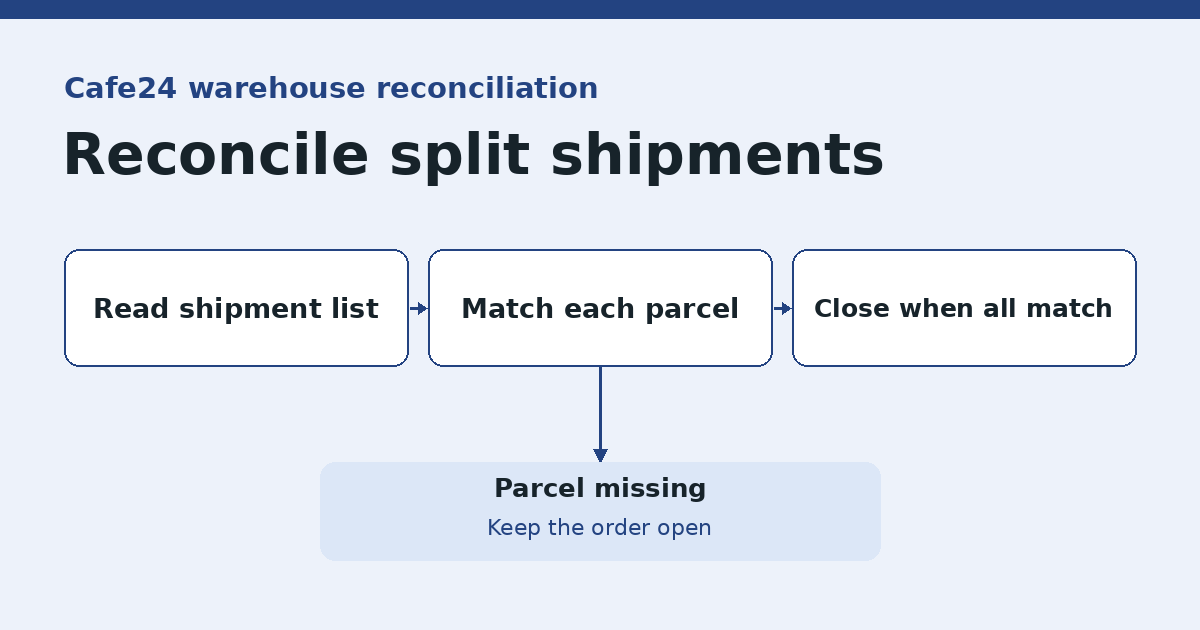
For a Cafe24 order packed into two or more parcels, match each shipping code to the warehouse record and reconcile the full set of order items before closing the internal dispatch task. Cafe24’s order shipments endpoint can return multiple shipping numbers for one partially delivered order. Closing at the first tracking number can hide a parcel that still needs to leave. [1]
Build the order-to-parcel checklist
- Read both source lists. Fetch Cafe24’s shipment list and order items with an app authorized for order reads. Keep separate references for the store, order, shipment code and item code. Check your store’s mapping rules for bundles, partial quantities and back orders before assuming one item code always maps to one parcel. [1][2][3]
- Match the warehouse handoff. For each expected parcel, record the team’s intended item quantities and a warehouse handoff reference. Compare the Cafe24 shipment record and use the corresponding carrier and tracking values to reconcile the handoff. Keep addresses and recipient details out of the shared reconciliation log.
- Close the dispatch task only after reconciliation. If a parcel has a label but no recorded handoff, leave that parcel open. If the expected quantities or item allocations disagree, hold the order for review. Keep a separate status for carrier-confirmed delivery if the business needs that signal.
Handle split and amended orders
In a fictional order, parcel A covers two units of a cleaning cloth and parcel B covers a nozzle. If A is matched and B is missing, mark A reconciled and the order incomplete. If the nozzle is canceled, fetch current order items and ask staff to confirm the resulting expected quantities. Preserve the previous reconciliation result so an auditor can see why the task reopened.
If a reprint or a change creates two tracking references for the same box, reconcile them with the warehouse before closing. On a timeout, freeze the affected order’s previous state and retry the read. Cafe24 flags caching on the endpoint, so make sure you have a sufficiently fresh snapshot before acting on a recently changed record. [1]
Pilot in read-only mode
Replay two synthetic orders, one complete and one with a missing parcel. Add a case with a late second parcel and a case with a changed item quantity. Verify that re-reading unchanged input creates no duplicate tasks and a missing parcel never triggers a store update or customer message. Pilot on a narrow sample with warehouse staff comparing your internal report against their handoff records.
Official sources and claim checks
Documentation opened and checked on November 16, 2026 (KST).
- The current order shipments GET route uses an order read scope and can return several shipping numbers for a partial delivery. Cafe24 Admin API, retrieve order shipment information
- The order items GET route exposes the list of order items for comparison. Cafe24 Admin API, retrieve order items
- The Admin API uses OAuth 2.0 and the documented HTTPS base URL. Cafe24 API, Getting Started
Testing and limitations
No live store, warehouse export, carrier scan or API response was tested. Confirm cache freshness and your store’s item-to-parcel mapping in a read-only pilot. The workflow and test cases are documentation-based examples with synthetic data.