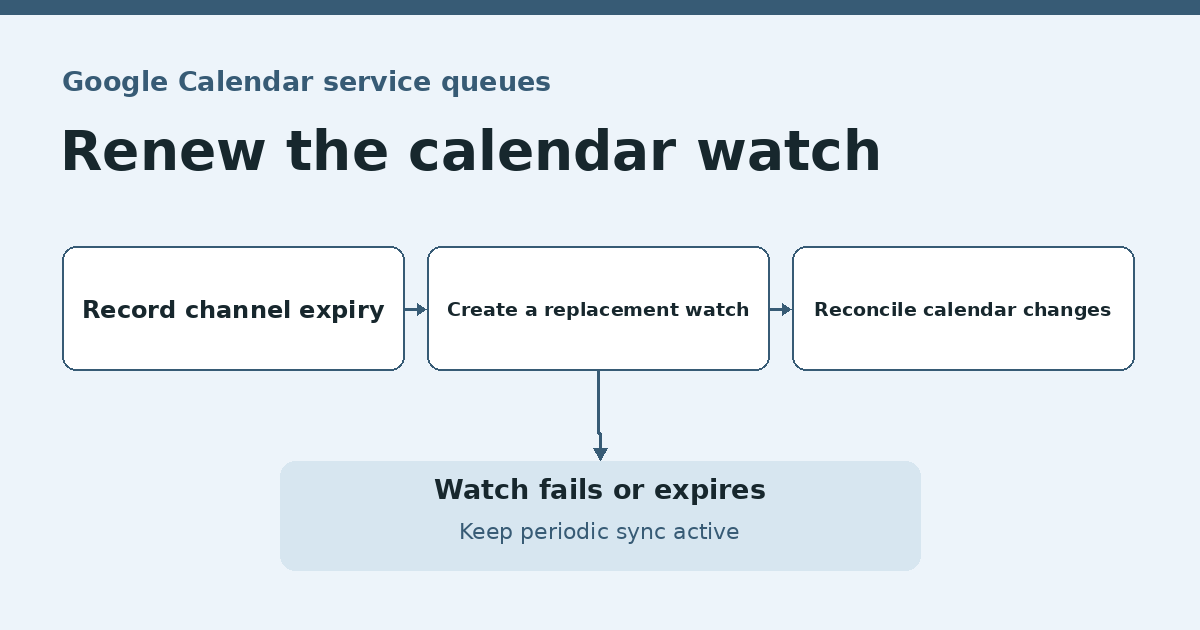
If your Korean service team depends on Google Calendar updates, record each watch channel’s returned expiration and create its replacement before that deadline. Google requires a new channel ID for the replacement, and the old and new watches can overlap. Keep periodic synchronization active so a missed notification does not leave the dispatch queue silently outdated. [1]
Keep a watch registry alongside the calendar connection
For each watched calendar, retain the channel ID, resource ID, returned expiration and the authorized connection that created it. Store any verification token securely and check incoming notifications against the registered channel. Keep calendar names, event details and credentials out of broad error messages.
Prepare the new channel record before requesting the watch. Google notes that the initial synchronization notification can arrive before the watch response, so the receiver needs to recognize the expected channel during setup. Reconcile the returned identifiers and expiration once the request finishes. [1]
Replace the channel and reconcile the calendar
- Have a renewal worker identify watches approaching their actual expiration. Create the replacement under the same intended calendar connection with a fresh channel ID. Record its successful setup.
- Route notifications from both watches to the same calendar synchronization queue during overlap. Coalesce queued sync requests by calendar, and use your existing event identities when applying updates.
- After verifying the replacement, retire the previous channel through the documented stop operation when appropriate. Retain the registry history so an operator can explain late notifications from an older watch. [1]
A notification prompts the worker to fetch current changes. Apply all returned pages before advancing the event mirror’s sync checkpoint. If processing fails, keep that sync job unresolved and expose its last successful completion time to the shift lead. [2]
Recover from a renewal failure
If authorization or the receiving endpoint fails, leave an actionable renewal error and continue the scheduled reconciliation path where access still permits it. If access itself is lost, mark the mirror stale and have staff review upcoming visits through their usual Calendar view. Google warns that push messages can be dropped even during normal operation. [1]
Use a separate test calendar for a fresh watch, an overlapping replacement, a late old-channel notification and a failed renewal. Check that duplicate notifications produce one reconciled event state and that an update is recovered by periodic sync when its notification is deliberately ignored. Keep actual customer messaging disabled for the exercise.
Official sources and claim checks
Official source content opened and checked on November 20, 2026 (KST). The operating procedures, safeguards and synthetic tests are editorial recommendations based on that documented behavior.
- Watch responses record channel identity, resourceId and expiration. Renewal requires a new watch with a unique ID, channels can overlap, and notifications can be missed. Google Calendar push notifications
- Incremental sync provides the mechanism for retrieving changed calendar resources and committing a sync token after a complete result set. Google Calendar incremental synchronization