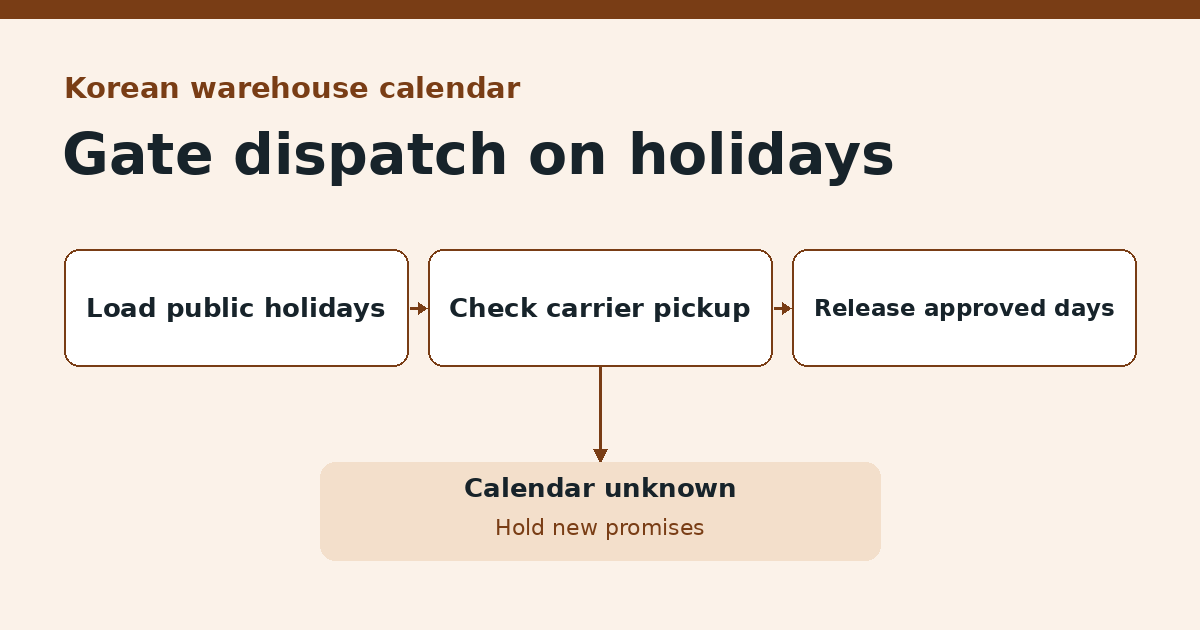
For a shop dispatching parcels in Korea, use the Korea Astronomy and Space Science Institute’s public holiday data as a calendar input and combine it with confirmed warehouse hours and courier pickup schedules. Offer a dispatch date only when those inputs support a pickup for the selected location and service. A public holiday flag by itself describes the public calendar, while the courier schedule governs your contracted pickup. [1]
Build a dispatch calendar by location and service
Pull the public holiday lookup for the month or months your checkout can promise. Read the source date locdate, the indicator isHoliday, and the name dateName. Store the calendar day using Korea local dates, along with the original source result and retrieval time. Verify that you processed the complete response before committing the month. The portal describes the service as a free XML API. [1]
Maintain warehouse and carrier rules outside the holiday feed. Include the branch, carrier service, confirmed pickup days, staff cutoff time, and a record of special closures or approved exceptions. An explicitly approved holiday pickup should have an owner and a written source. Store the cutoff in the branch’s local time and first evaluate the local date of the proposed handoff.
Decide when the workflow may promise a date
- Select the dispatch origin and carrier service for the given order class.
- Check the day against the public calendar, warehouse schedule, pickup calendar and cutoff. If all necessary inputs are present, choose the first approved dispatch date. For a displayed arrival estimate, use a separate rule based on the carrier’s expected transit service.
- If a required input is missing or outdated, pause new promises for the affected route and send staff the date, location and missing source. Keep existing promises visible for review and ask staff to decide whether they need customer follow-up.
Recover from a missing month or a late closure
Keep the last validated month while investigating a fetch failure. Distinguish a valid zero-holiday response from a missing or failed response before replacing the calendar. If staff confirm a late closure, regenerate previews and list affected existing promises. Keep sending and dispatch actions disabled until staff verify the updated list.
For a dry run, use synthetic schedules for a holiday with no pickup, a holiday with an approved pickup, a cutoff just after closing, and a failed fetch at month end. Check that the workflow rolls into the next validated month and holds when it lacks that month’s data.
Official sources and claim checks
Documentation opened and checked on November 16, 2026 (KST).
- The public holiday function documents year and month queries and fields for the date, holiday name and public-institution holiday flag. The portal lists the API as free and the data format as XML. KASI Special Day Information, Korea Public Data Portal
Testing and limitations
No service key or carrier account was exercised. Test your account’s successful and no-result response formats, holiday update lag, carrier pickup schedule and any local closure override. The workflow and test cases are documentation-based examples with synthetic data.