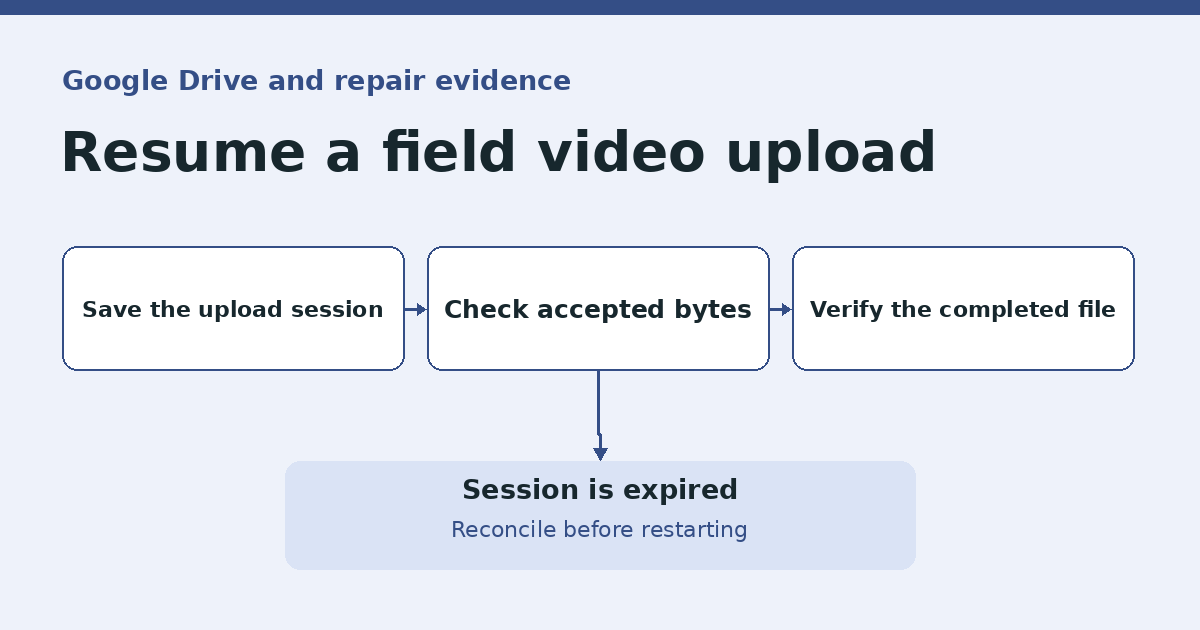
For a repair video uploaded from a job site in Korea, keep one Google Drive resumable upload session tied to the evidence item. If the mobile connection drops, ask that session how much content it accepted before sending more bytes. Mark the inspection upload complete only after the final file is verified in its intended destination. [1]
Create one upload record for one piece of evidence
Assign the video an internal evidence reference and record its byte size, content type, local integrity hash and intended work-order attachment. Freeze the source file during transfer. Store the resumable session URI in restricted application storage so the upload worker can recover its progress. Keep session URLs, access tokens and footage out of shared notifications. [1]
Use synthetic footage for the first pilot. For actual evidence, have staff review what the camera may capture, who can open the destination and how the uploaded file belongs to the work order. This workflow describes transfer recovery and does not establish a retention rule.
Recover from an unknown upload result
- If the connection fails, retain the upload record and query the session’s status using the documented empty PUT request. Read the server response before deciding where to resume. [1]
- For a 308 response, inspect the reported Range of accepted bytes and resume at the correct next position. If there is no accepted range, follow the guide’s recovery procedure for an upload with no acknowledged bytes. Keep the source file and total size consistent. [1]
- After a completion response, retain the returned file reference. Verify the destination, byte size and that an authorized operator can play the expected clip before attaching it to the completed inspection.
Handle an expired session without losing the evidence trail
When the server says the upload session is no longer usable, reconcile any completion record your application received and any destination candidate before starting a replacement session. Preserve the old attempt as an expired transfer and link the replacement to the same evidence reference. Google documents that an expired resumable session requires a new upload session. [1]
A duplicate filename is insufficient to identify the right footage. Compare the work-order association and saved evidence metadata, and send uncertain candidates to staff. Hold the inspection task open until the intended file is confirmed.
Dry-run a mid-file interruption, an accepted final upload with a lost response, and an expired session. Verify that the worker queries accepted progress, avoids overwriting a different work order’s clip and produces one approved evidence attachment.
Official sources and claim checks
Official source content opened and checked on November 19, 2026 (KST). Workflow safeguards and example operating procedures are editorial recommendations derived from the documented behavior.
- The guide explains resumable upload sessions, status queries, the 308 incomplete response and Range header, and session expiry recovery. Google Drive API upload file data