If a Korean service appointment is canceled in Google Calendar, update your local event mirror and withdraw any unstarted reminders before releasing the next send batch. Use the calendar’s incremental synchronization results to track changes and deletions. Keep a manual review state when synchronization is incomplete so staff can reconcile the upcoming visits. [1][2]
Keep event identity separate from a phone number
Bind each reminder to the calendar ID, event identity and scheduled action. For recurring work, retain the series and instance information needed to identify the intended visit. A calendar title or customer phone number is insufficient to distinguish repeated maintenance appointments.
During initial synchronization, build a staged event mirror and save the final sync token only after processing the complete result set. Use that token on later incremental calls. Keep the request parameters consistent with the provider’s synchronization rules. [1][2]
Apply changes before releasing reminders
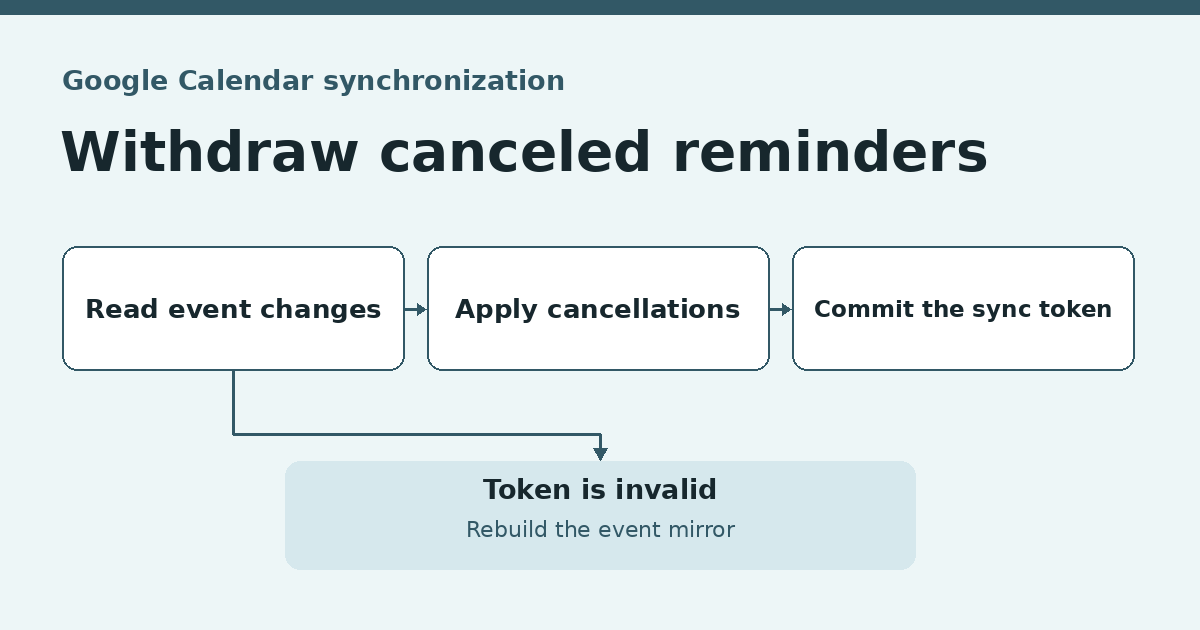
- Fetch the next change set, processing every page. Apply an updated visit time to its existing reminder and move a canceled visit into a withdrawn state. Google documents that incremental results include deleted events. [2]
- Preserve a record of why the reminder changed. An exception for one recurring visit should be reconciled at the instance level rather than canceling reminders for an entire series without evidence.
- Commit the new sync token after the related event and reminder updates are durable. Have the send worker recheck the current local eligibility immediately before release. If cancellation arrives after a reminder has already been sent, route the case to staff for follow-up.
Recover when the sync token expires
When the API identifies an invalid sync token with a full synchronization requirement, pause release from that mirror and build a new full copy in staging. Keep the reminder send ledger and previous reconciliation history while rebuilding the event state. Compare upcoming visits against the rebuilt mirror, then resume after staff review any discrepancies. The provider describes this full-sync recovery explicitly. [1][2]
Use a separate test calendar with fictional visit references. Exercise a one-off cancellation, a reschedule, a canceled recurring instance and a simulated invalid token. Make the sending destination a preview queue. Confirm that canceled visits have no unstarted reminders and a full rebuild never resends a reminder already recorded as sent.
Official sources and claim checks
Official source content opened and checked on November 19, 2026 (KST). Workflow safeguards and example operating procedures are editorial recommendations derived from the documented behavior.
- The guide explains initial and incremental synchronization, pagination and recovery from invalid sync tokens. Google Calendar incremental synchronization
- Incremental results include deletions. Sync tokens constrain query parameters, and an invalid token requires a new full sync. Google Calendar events list