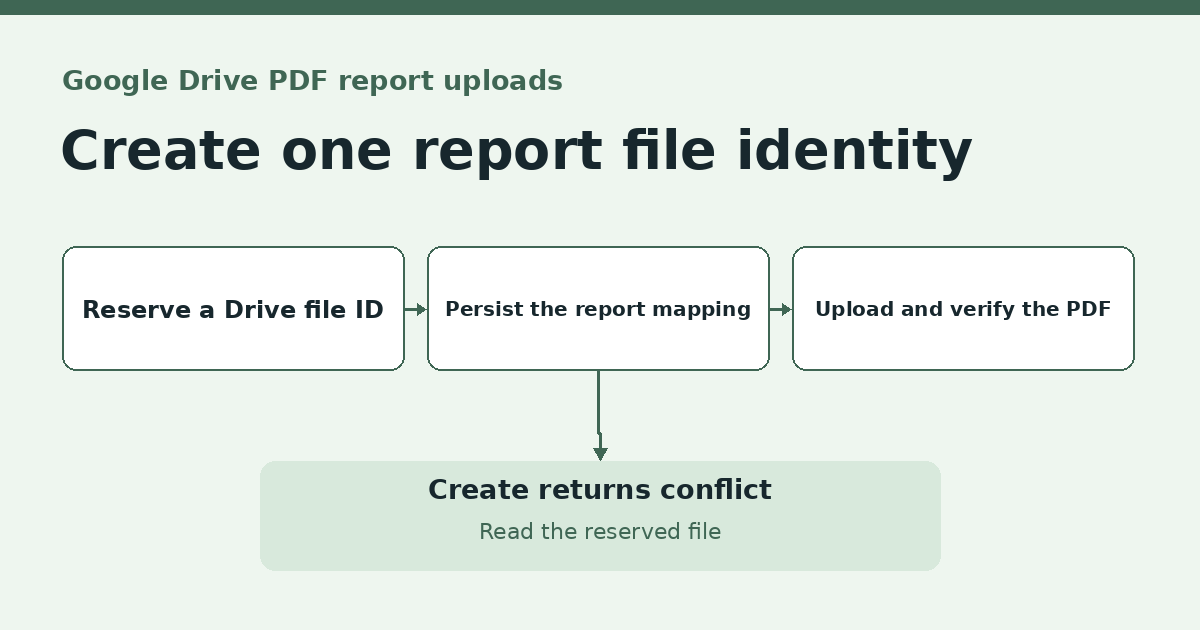
If your Korean inspection business uploads a PDF report through the Drive API, reserve a provider-generated file ID for that report revision before attempting creation. Persist the mapping and reuse the same ID when recovering an uncertain request. Google documents that a repeated create using an already successful pre-generated ID returns a conflict instead of creating another file. [1][2]
Give one approved revision one destination identity
Create an internal report reference tied to the work order and approved revision. Generate a Drive file ID through the documented endpoint and store it under that report reference before the upload worker starts. Freeze the PDF bytes and retain their size and integrity hash. [2]
Keep a single coordinator for reserving the mapping. Two workers that independently reserve different IDs for the same report would defeat the intended protection. A genuine new report revision needs its own approved mapping policy.
Scope this procedure to a supported binary PDF upload. The Drive guide explicitly limits pre-generated IDs for most native Google Workspace creation and conversion flows, so test a different document workflow against its own documentation. [1]
Reconcile the create result by the reserved ID
- Submit the PDF creation with its reserved ID and intended parent location. Keep the source bytes unchanged during retries.
- On an uncertain timeout, retain the mapping and follow the documented retry behavior for that same identity.
- If the response is a conflict, retrieve the reserved file and compare its type, size, location, work-order mapping and expected content. Treat the conflict as a prompt to verify the existing resource. Record completion after the comparison succeeds. [1]
If the file cannot be read, distinguish an access problem from a missing resource before authorizing replacement. Keep any unresolved mismatch in staff review.
Test identity and content together
Use a synthetic PDF and a test folder. Simulate a success with a lost response, a retry returning conflict, two workers competing for one report revision and an existing file whose metadata differs from the expected report.
Check that the retry preserves the reserved ID, an unexpected file cannot become an approved report and the final task points to one verified PDF. Keep report-sharing messages disconnected until the destination and access checks pass. The linked upload guide covers interrupted byte transfer, while this procedure protects creation identity.
Official sources and claim checks
Official source content opened and checked on November 22, 2026 (KST). Workflow procedures, operational safeguards and synthetic tests are editorial recommendations based on the documented behavior.
- Drive supports retrying uploads with a pre-generated ID; a repeated successful create returns 409. The guide excludes creation or conversion of most Google Workspace file formats. Drive upload guide, pre-generated IDs
- The endpoint generates file IDs for supported create, copy and upload operations. Drive files.generateIds reference