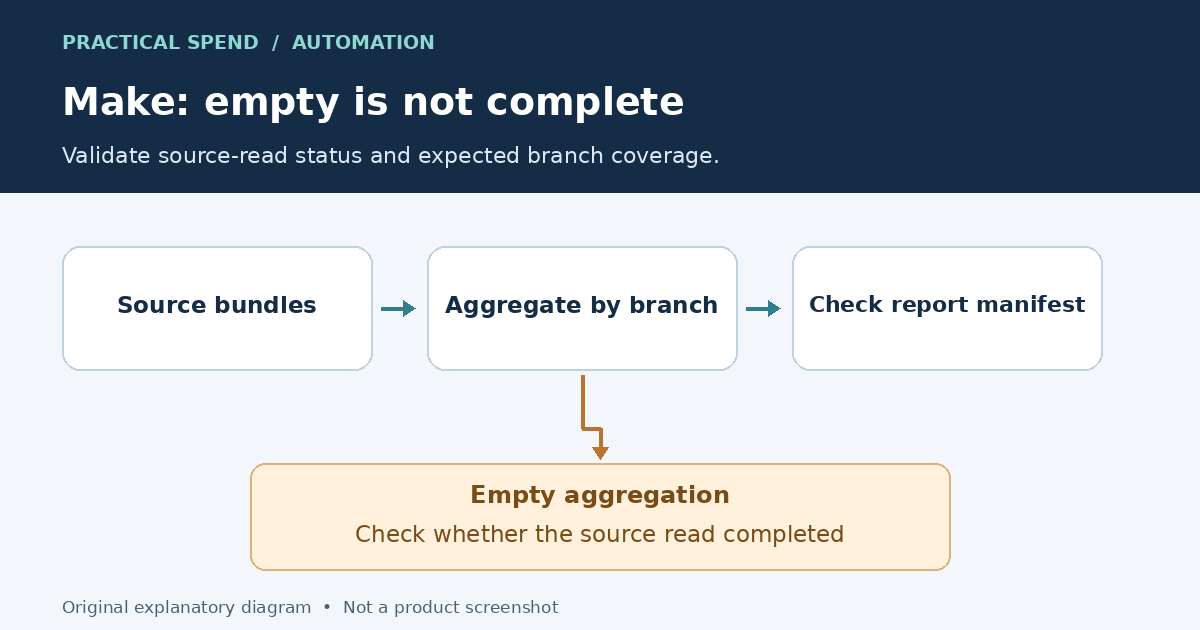
A Make aggregator can produce an empty result even when no bundles reach it, but that result alone does not prove a branch had no work. For a Korean business’s daily English operations report, check both the aggregation result and a separate record of which branches and source reads actually completed.
Define the report before configuring aggregation
For a fictional Seoul-and-Busan service team, define the report key as 2026-11-23:daily-service and list the expected branches. Store a run manifest outside the aggregation route with start time, requested reporting window, expected branches, source-read outcome, and final report location. This is a recommended control you build, not a built-in completeness guarantee.
Choose the Source Module deliberately: the aggregator collects bundles within a source module’s operation. Group by creates a separate output for each distinct grouping value.[1] A single branch group should therefore update that branch’s status, not close the entire day’s report.
Preserve fields that downstream steps need
Include fictional job ID, branch key, reporting date, and the measures needed for the summary in the aggregator’s configured fields. Upstream fields do not automatically remain available after aggregation.[1] Before sending anything, inspect the resulting array and verify that every included record belongs to the intended reporting window.
Keep a count of accepted records and a separate count or reason for excluded records in your design. A filter that rejects a malformed branch key should produce a visible exception, not silently turn the branch into “zero activity.”
Decide what an empty result means
Make documents that an aggregator normally outputs a result even when no bundles reached it; enabling “Stop processing after an empty aggregation” suppresses that output and stops the flow.[1] Pick the setting according to your report design.
If the zero-result route runs, require independent evidence that the source read completed and no eligible records remained before labeling it “zero matching jobs.” If the route does not run, use a separate manifest check after the expected reporting window to detect the missing outcome. Neither setting can make a failed source read equivalent to a valid zero.
Recover an incomplete daily report
Keep the report in INCOMPLETE state when a branch is missing or a source read fails. Rerun only the unresolved branch/window under the same report key, and replace its provisional contribution in your reporting store rather than appending it again. Publish a final summary only after all expected contributions are reconciled.
Test the boundary cases
Use a staging scenario with fictional data: several records, all records filtered out, two branch groups, an invalid branch key, a source error, and a repeated run. Also test a search returning no bundles; do not assume every connector reaches the aggregator identically.
Confirm that each case leaves a distinguishable manifest outcome. A reviewer should be able to tell “no eligible activity,” “source failed,” and “report not produced” apart without reading a success-colored scenario diagram.
Official sources and claim mapping
Documentation checked: November 23, 2026 (KST). Each source below was successfully retrieved and read for the listed claims. No inaccessible source is marked verified. Documentation review verifies the described product behavior; it does not establish that this workflow was executed.
- Make Help Center — Aggregator — Claims supported: Source-operation scope, Group by output, empty aggregation option, and mapping upstream fields.
Recommended ledger fields, state names, example identifiers, acceptance criteria, and recovery policies are the author’s operating design, not claims that the vendor supplies these features automatically. No plan entitlement, price, legal compliance, or performance guarantee is asserted.