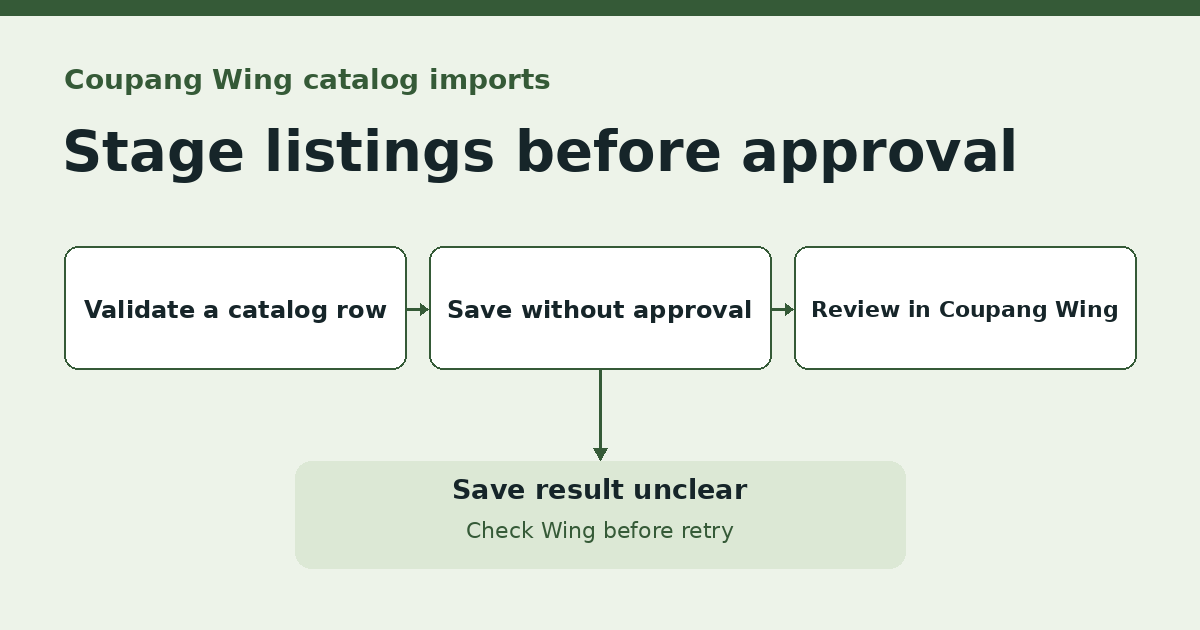
If your Korean shop imports products into Coupang Wing through its Open API, use requested=false when creating a listing you want staff to check before requesting sales approval. Coupang documents this value as saving the input only. Your workflow can capture the saved listing for review while someone in Wing checks what would be offered to buyers. [1]
Build a listing queue that links back to the supplier row
Assign each input product a stable internal key, and keep the original source row and the proposed catalog values together. Review the required fields against the applicable listing category before any write. Show the price in KRW, the packaging quantity, variants, and the selected shipping and return locations. For a bilingual team, put the Korean storefront text next to a short internal English note so the reviewer sees the exact text buyers would see.
Start with a preview. Check that requested is explicitly false in the outgoing data. If an import system omits Boolean false during serialization, stop before sending. When the import reports a successful save, record the platform’s listing reference and move the row into editorial or merchandising review. Keep the approval API outside the import worker. [1]
Reconcile an uncertain save before retrying
If the create request times out, mark that input row as unknown. Search Wing for the candidate and compare the product name, option set and price against the frozen source row. A matching name alone cannot establish that it is the intended listing. Have staff adopt the matching saved record or investigate before approving a second create attempt.
After review, submit the intended saved listing through the approved Wing procedure. Keep the states “saved,” “submitted for approval,” and “verified sale status” distinct in your internal report. If staff change the price or options after import, capture the revised values before they approve the listing. [1]
Test the boundary before sending a batch
Use a mock destination and synthetic catalog rows. Cover one valid row, one missing category field, one duplicate reimport, and one timeout after a simulated save. Verify that the create request always preserves false and the simulated import never calls the approval step. A later approved pilot can use one listing in a seller-controlled environment, with an operator verifying the saved record before any follow-up action.
Official sources and claim checks
Official documentation opened and checked on November 17, 2026 (KST).
- The current Product Creation API reference documents that requested=false saves the uploaded contents without requesting approval, while requested=true saves and requests sales approval. A saved listing can subsequently be submitted through Wing or the documented product approval request API. Coupang Open API — Product Creation
Testing and open checks
No seller account, listing import, approval submission or live sales state was tested. The available guide supports the requested flag; verify your seller integration’s current category schema and any account-specific limits in Wing. Examples and test steps are documentation-based and use synthetic inputs.