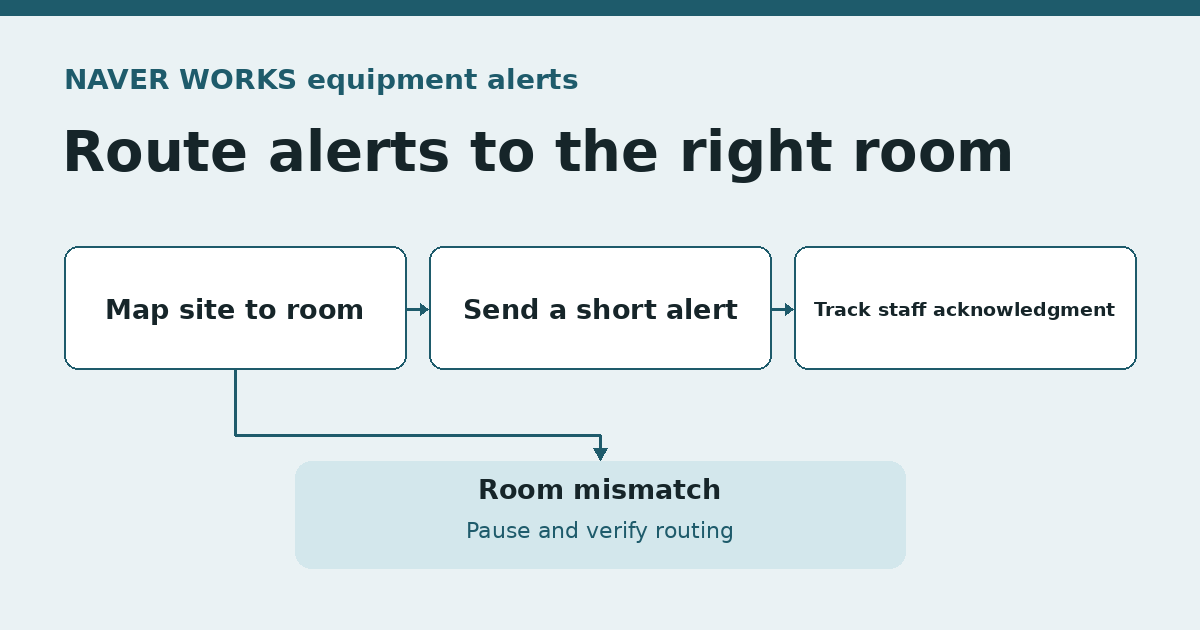
For a Korean shop that uses NAVER WORKS, map each equipment site to an approved messaging room before connecting its alerts. Send a short incident message using the room’s channel ID and keep staff acknowledgment in a separate incident record. That lets a shift lead see which incidents were posted and which ones still need an owner. [1][2]
Set up routing before connecting a sensor
Create a simple table with the site code, supported event types, target room, owner and backup contact procedure. Have a room administrator verify the channel ID from the room menu. Confirm that the bot has joined the approved target room before enabling sends; a channel ID alone does not make the room available to the bot. If membership or the required bot messaging permission cannot be confirmed, keep the route disabled and ask the room administrator to resolve it before testing. [1][2] The Bot API uses a token and documents bot messaging permissions. Keep its credential in the sending service’s secret storage. Use an explicitly approved test room first. [1][2]
Persist an internal incident reference before sending. A shift team generally needs a branch code, the equipment identifier, detected condition, Korea local time, and a responsible team. Keep customer information and credentials out of the message. Agree on who will update the incident record once someone checks the equipment.
Post, acknowledge and escalate
- Resolve the configured branch and event type to one room. When the mapping is missing or obsolete, pause that route and show the issue in an operator view. A catch-all destination can expose details to unintended rooms.
- Have the worker send the approved message through the documented channel endpoint using the bot ID and channel ID. Record the API result and the incident reference. Track staff acknowledgment as a separate step. [2]
- Give the incident an escalation deadline. If there is no acknowledgment by then, follow the team’s usual backup procedure and keep the original incident open. Where a send timed out, have staff reconcile the target room before initiating another send.
Verify with simulated events
Replay a fictional pump controller fault, missing room mapping, repeated incident signal, and a timeout after a simulated successful call. Check that the invalid mapping causes no send, repeats attach to the same open incident and acknowledgment stops escalation. If a room is replaced, pause the old mapping and pilot the new channel with staff before restoring the route.
Official sources and claim checks
Official documentation opened and checked on November 17, 2026 (KST).
- The Bot API requires an access token. The bot.message scope covers bot messaging, and the API exposes separate user and room destinations. NAVER WORKS Bot API overview
- The documented POST route sends to a room that the bot has joined, identified by botId and channelId. The room menu can provide the channel ID. NAVER WORKS Send Message to a Channel
Testing and open checks
No tenant, bot permission, token, message delivery or staff acknowledgment was tested. Confirm your tenant supports the required bot configuration and review the provider’s current limits in the test workspace. Examples and test steps are documentation-based and use synthetic inputs.