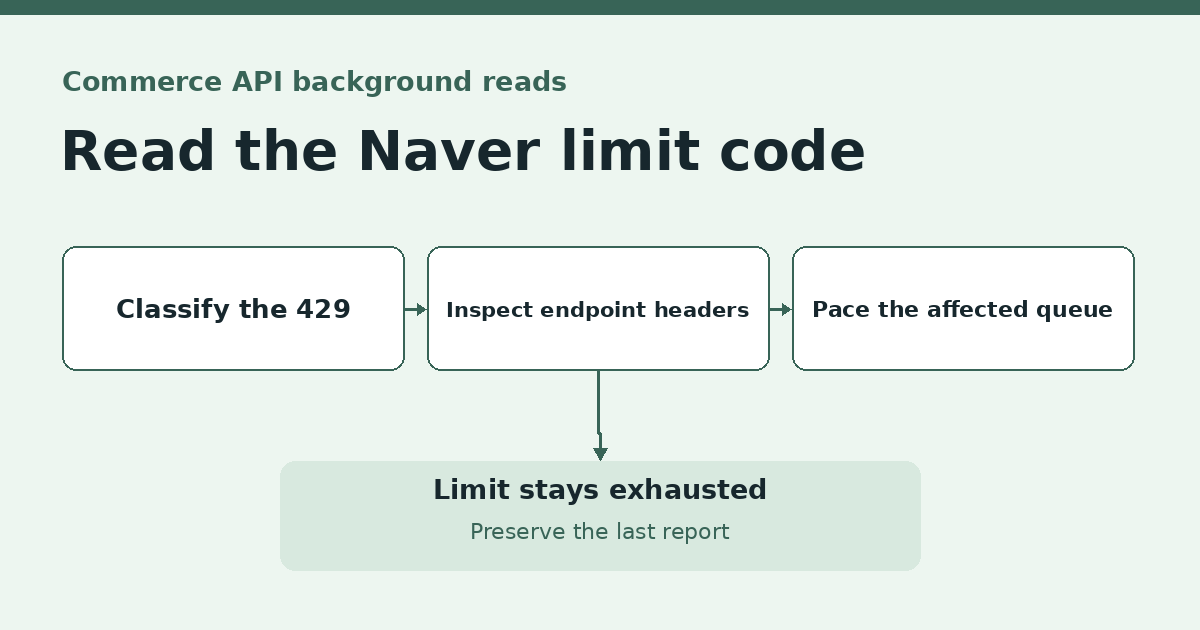
When a background Naver Commerce API read returns 429, inspect its gateway code before choosing a retry. Naver documents both GW.RATE_LIMIT and GW.QUOTA_LIMIT. Pace the queue according to the affected endpoint or seller allowance, retain the unresolved job and preserve the shop’s last complete report while the new run waits. [1]
Record enough to identify the exhausted limit
Log the endpoint class, application reference, seller-resource reference, HTTP status, gateway code, nonsecret limit headers and trace ID. Keep tokens and response customer data out of the shared log. Use the trace ID when an authorized operator needs provider support. [1][2]
For GW.RATE_LIMIT, review the rate-limit headers returned by that API. Naver applies token-bucket controls per API and authenticated application. Independent workers calling that same bucket need coordinated pacing. A queue’s local sleep cannot control calls from another worker unless both share the same budget. [1]
For GW.QUOTA_LIMIT, inspect the quota period, allowance and remaining count. Its meaning depends on the solution and seller-resource context. Have the operator confirm that context before applying an assumed reset time. The official page provides separate header families for these limits. [1]
Recover the affected read queue
- Pause new reads that consume the exhausted allowance. Keep other independently budgeted work subject to its own limits.
- Choose a bounded retry with spacing appropriate to the confirmed limit. Avoid having several workers retry together. If the allowance still appears exhausted, leave one visible recovery task for the operator.
- Resume the unresolved report page or input and deduplicate its staged records by their provider identity. Commit report completion only after all pages and validation results are reconciled.
A refreshed authentication token solves a different class of error. Use the documented gateway code to route the case to throttling, quota review or authentication recovery. Keep each job tied to its original seller resource. [1][2]
Test the branches before enabling automatic retries
With mocked responses, cover a rate limit, a seller quota, an absent header and a repeated 429 until the retry budget ends. Check that an unknown condition reaches review and a failed page cannot replace the approved report. Use a read-only account pilot to measure actual headers and call patterns before adapting this design to writes.
Official sources and claim checks
Official source content opened and checked on November 20, 2026 (KST). The operating procedures, safeguards and synthetic tests are editorial recommendations based on that documented behavior.
- The official restrictions distinguish GW.RATE_LIMIT from GW.QUOTA_LIMIT, describe token-bucket limits per API and application, and list the rate and quota response headers. Naver Commerce API restrictions
- The troubleshooting reference maps gateway status and error codes and identifies trace IDs for investigation. Naver Commerce API troubleshooting