If your Korean service team generates a Google Sheets dispatch board, group the intended cell and format changes into one bounded spreadsheets.batchUpdate request, then read the affected cells back before releasing the board. Google documents atomic application within that request. Other editors can still change the sheet, so the final read-back matters. [1]
Build a preview with stable row assignments
Start from the approved service-visit list and assign a batch reference. Record the target sheet ID, fixed range and the expected visit reference for each row. Keep the board’s time labels in the Korea local business day used by the dispatcher. Use synthetic visit references in the pilot.
Have the importer own a defined output area. Put staff notes in separate columns and review any layout changes before running another import. A batch that targets old row positions can update the wrong content even when the API accepts it.
Apply only the intended changes
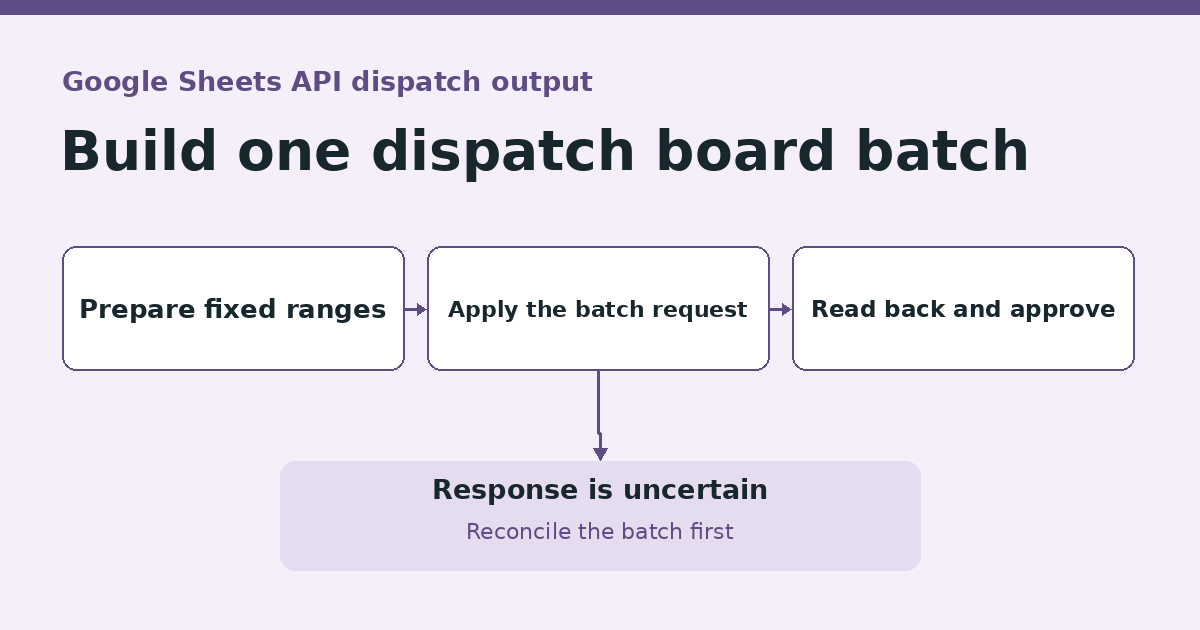
- Prepare the cell values and formatting requests against the expected sheet. Use narrow field masks so an update touches only the fields the importer owns. [2]
- Submit the requests together and inspect the API result. If validation rejects one of the subrequests, Google says none of the changes in the batch are applied. Correct the invalid request against the current sheet before retrying. [1]
- Read back the visit references, displayed times and batch marker in the affected range. Compare them with the preview. Release the board only when the comparison succeeds and any staff edits have been reconciled.
The batch’s completion does not establish that downstream dispatch notifications were sent. Track any separate staff notification step under the same batch reference and verify its outcome separately.
Resolve an unknown result before replay
If the request times out, first inspect the intended range. The changes may already exist. Avoid replaying append or insert operations solely because the client missed a response. Reconcile with the saved preview, then apply only an authorized correction. Atomicity also applies to that individual request, so splitting a board over several requests requires a separate completion rule.
Test a valid batch, an invalid field mask, a lost response after application and a collaborator changing one target row. Check that the invalid batch leaves the board unchanged, the lost response is reconciled without another row insertion and an unexpected edit blocks automatic release.
Official sources and claim checks
Official source content opened and checked on November 20, 2026 (KST). The operating procedures, safeguards and synthetic tests are editorial recommendations based on that documented behavior.
- Subrequests are validated before application and updates in one request are applied atomically. Collaborator changes can still affect the spreadsheet’s final visible state. Google Sheets spreadsheets.batchUpdate reference
- The guide documents supported cell and formatting requests and field masks for targeting the intended properties. Google Sheets update guide