Category: Korea Explained

  • How to Check Seoul Road Closures Before a Delivery

    Before driving across Seoul for a delivery, open TOPIS, Seoul’s official traffic information service, and check closures on the roads your route uses. Compare the affected section and direction with your trip. If your appointment is later, check the planned notices and reopen the map shortly before you leave. [1][2][3]
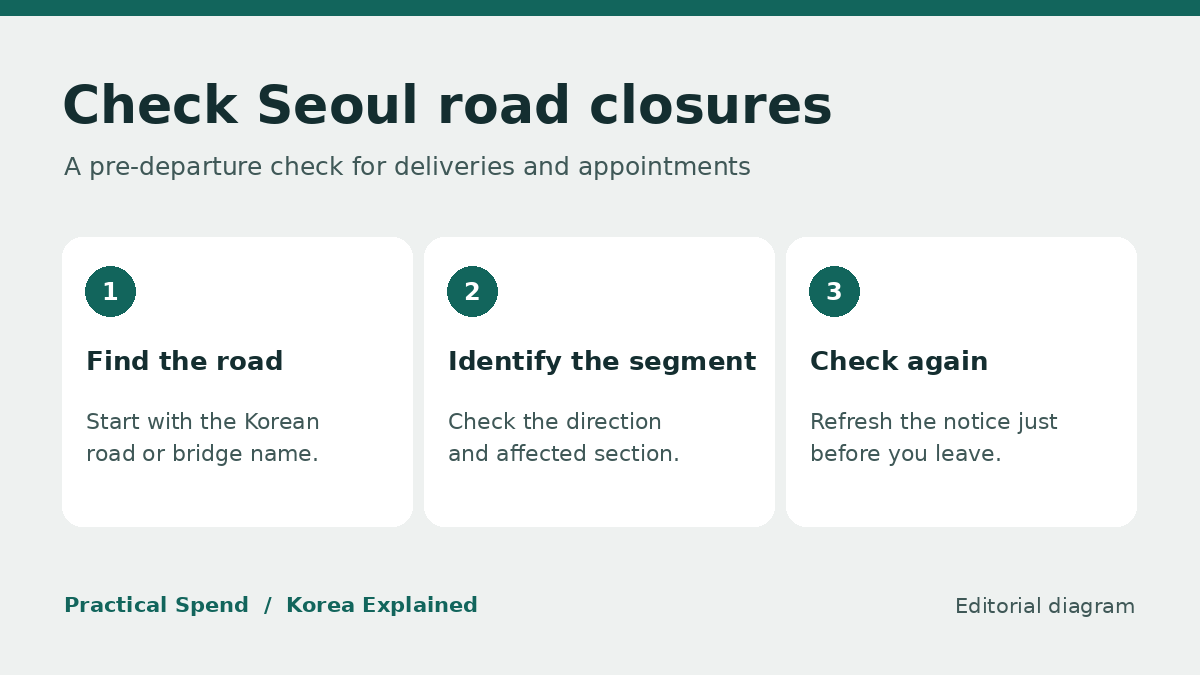
    Three-step diagram showing how to locate a Seoul road or bridge, identify the affected section and direction, and refresh the information before departure.
    Original editorial diagram for planning around road closures. This is not a screenshot or a live traffic map.

    Read the map with a few Korean labels

    On the TOPIS map, look for 통제 (traffic controls or closures) and 돌발 (unexpected incidents). The 사고 및 통제 panel covers incidents and controls, with categories for crashes or breakdowns, construction or gatherings, and weather or fires. The homepage also has a section for planned gatherings or events this week. [1]

    1. Locate the road. Copy the Korean road, bridge, or interchange name from your navigation app or the customer’s directions. Use the TOPIS location field or zoom to the route on the map.
    2. Read the affected segment. Compare any listed endpoints with the part of the road you plan to use. Then look for 양방향 (both directions) or 단방향 (one direction) if shown. One-way controls may affect the return drive even if you can reach the destination. [1][3]
    3. Check upcoming controls. For weather-related restrictions, TOPIS has a dedicated traffic-control notice page with sections for expected controls, current controls, and lifted controls. It separates urban expressways from city streets. For construction or events, check the relevant incident category and planned-events section on the homepage. [1][3]
    4. Refresh and confirm local access. If a notice affects the road, check your alternate approach and tell the recipient which entrance you expect to use. Confirm loading access directly with the building when you need to reach a particular driveway.

    If the map shows a blank panel

    If the map is still loading or its indicators look unpopulated, refresh in a browser that can load the interactive page. Use a clearly dated notice if one is available and follow signs or directions on the road. Seoul’s English Seoul Live guide explains TOPIS and links to the Korean service. Its City Hall footer lists 02-120 for municipal inquiries. [1][2]

    Official sources and claim checks

    Checked 2026-11-15 KST. Recheck current controls, dates, and road access before departure.

    1. Seoul Metropolitan Government — TOPIS public traffic map — location input, incidents and closures labels, event section, and traffic map legend.
    2. Seoul Metropolitan Government — Seoul Live — English overview of TOPIS, event and construction controls, and municipal contact.
    3. TOPIS — Weather-related traffic control information — expected, active, and lifted restrictions, direction labels, expressway and city-road headings.

    Scope of verification: Public site labels and the municipal English overview were opened. No active incident, camera stream, on-road condition, or traffic phone response was verified.
  • How to Check a Product Recall in Korea by Model Number

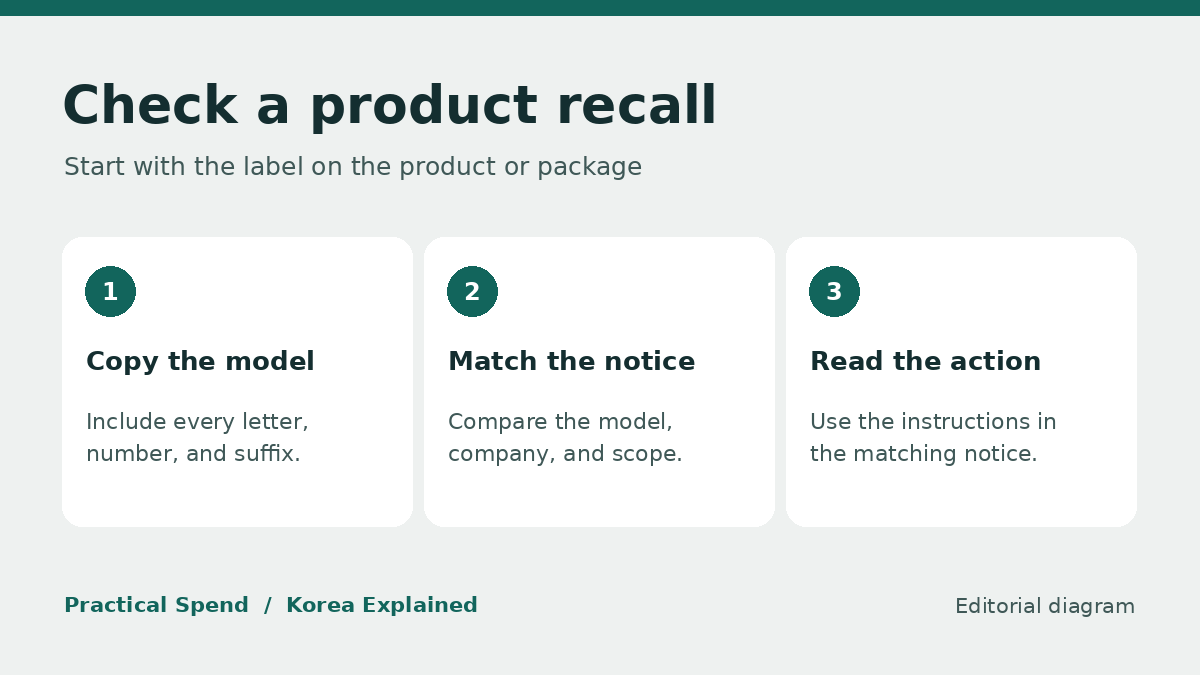
    For household products listed on Safety Korea, to find out whether an item you own or stock appears in a Korean recall notice, start with the model number printed on the item or package. Open Safety Korea’s domestic recall board, find the listing, and compare the model and company with your product before following the instructions in the notice. A product photo or a similar model name can point you to a listing, but the notice tells you what it covers. [1][2]

    Three-step diagram showing how to copy a product model number, match it against a recall notice, and follow the instructions in the notice.
    Original editorial diagram for matching product and recall details. This is not a screenshot of Safety Korea or a product label.

    Match the item to the notice

    1. Copy the 모델명 (model number) from the manufacturer’s label or packaging. Keep letters, numbers, hyphens, and suffixes. Have the 제품명 (product name) and the brand or company name handy.
    2. Open the Safety Korea recall search and choose 국내리콜 (domestic recalls). Use the search controls. If the full model produces no result, try the product name or company and compare model numbers in the results. The list has columns for product, model, company, recall type, and announcement date. Some listings also show a barcode. [1]
    3. Open the matching notice and compare all identifiers it gives. If the notice specifies a production period, batch, or other restriction, compare that detail too. If the item’s label is unclear, use the notice contact to confirm whether your unit is covered before assuming the instructions apply. [2]

    Read the action and contact fields

    Look for 소비자 행동요령 (instructions for consumers) and 문의처 or 연락처 (inquiry contact or phone number). Follow the instructions for the matching notice. When asking whether your item is affected, have the model and any batch information specified in the notice ready. A shop owner can use the same comparison to identify stock to ask about. [2]

    Safety Korea separates Korean domestic recalls from 국외리콜 및 소비자 주의 (overseas recalls and consumer advisories) and 해외직구 안전성조사결과 (safety investigations of direct overseas purchases). For goods bought directly from an overseas seller, check the relevant section and read where the notice applies. An empty domestic search is an inconclusive result for that query. [1][3]

    The checked public board is in Korean. For questions about the portal or product safety, Safety Korea lists 1670-4920 as its product-safety call center. For a particular item, start with the contact in its notice. [2][4]

    Official sources and claim checks

    Checked 2026-11-15 KST. Recheck the current notice and its exact product scope before acting.

    1. Safety Korea — Domestic recall board — public search, results columns, and category links.
    2. Safety Korea — Domestic notice detail layout — product identifiers, defect and hazard fields, consumer instructions, and inquiry fields. This is the official layout, not a product-specific case.
    3. Safety Korea — Overseas recalls and advisories — separate overseas listing.
    4. Safety Korea — Product safety information — general product-safety hotline.

    Scope of verification: Public board and official detail layout were verified. No owned item, submitted recall request, live contact, or English phone assistance was tested.

  • How to Find the Last Seoul Subway Train That Reaches Your Stop

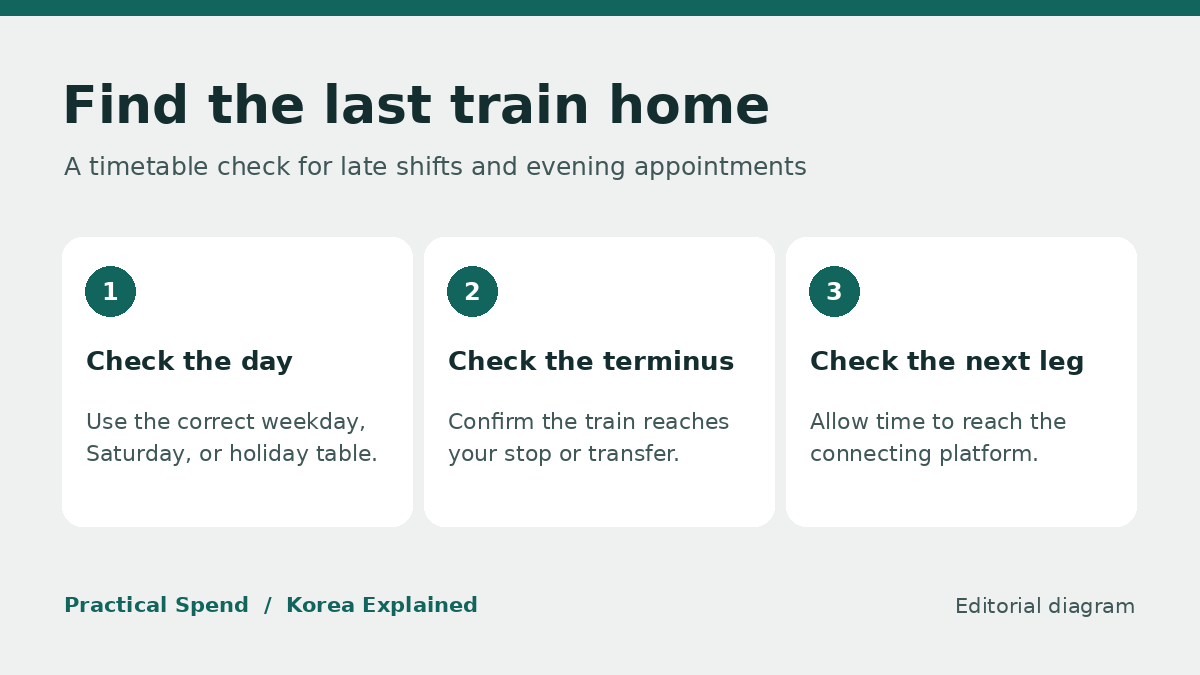
    The last train shown for a Seoul subway line may end before your stop. For a late shift or evening appointment, check the last departure from your boarding station that reaches your destination or transfer station. If you have to change lines, check the second line’s last usable departure before you commit to the first one. [1][2]

    Three-step diagram showing how to check the service day, the train’s final stop, and the next leg of a late-night subway trip.
    Original editorial diagram for planning a late subway trip. This is not an operator timetable or a screenshot.

    Look up the route in English

    Start with the Korea Tourism Organization’s English subway tool. Its map lets you set the departure and destination stations. The station information includes First train / Last train and Operating timetable sections. If there are several lines at a station, identify the line you will actually board. [1]

    Then check these four details:

    1. Service day. The English tool shows normal-day, Saturday, and Sunday columns. Seoul Metro’s own last-train dataset distinguishes weekdays, Saturdays, and Sundays or public holidays for the stations it covers. On a public holiday or during a special timetable, confirm which schedule the operator is using. For a trip around midnight, confirm the service date if the display is unclear. [1][2]
    2. Direction. The Korean word 막차 means last train. When a timetable separates directions, compare the station sequence with your route. At a station with several lines, use the line as well as the station name to identify the entry.
    3. Final station. Check where the listed train ends. Seoul Metro’s timetable data includes the destination station alongside scheduled departure information. A train ending at your transfer station can work if your connection is still available. A train ending one stop before it requires a different departure or route. [2]
    4. Connection time. For a transfer, check the next line’s last suitable departure and leave time for the walk between platforms. If the timing is close, select an earlier departure or have another way home.

    Confirm the plan on the day

    Seoul Metro’s official data covers stations it operates on Lines 1–9. For any part of your trip run by a different operator, confirm with that operator’s timetable or ask station staff. Seoul Metro also says actual trains can differ from the schedule, so check the station display before riding. Its listed contact is 1577-1234. Phone language support was not verified. [2]

    At the station, you can ask: “이 열차가 [station]까지 가나요?” (“Does this train go as far as [station]?”).

    Official sources and claim checks

    Checked 2026-11-15 KST. Recheck the operator’s timetable and service notices for your travel day.

    1. Korea Tourism Organization — English subway route and station timetable tool — English route lookup, first/last-train menu, and service-day headings.
    2. Seoul Metro via Korea’s Public Data Portal — Last-train timetable documentation — operator scope, destination and departure fields, day categories, distinction between scheduled and actual times, and operator contact.

    Scope of verification: The English tool’s public timetable headings and the operator’s dataset documentation were opened. A populated station result, platform display, and actual late-night transfer were not tested.

  • How to Settle a Seoul Water Bill When You Move Out

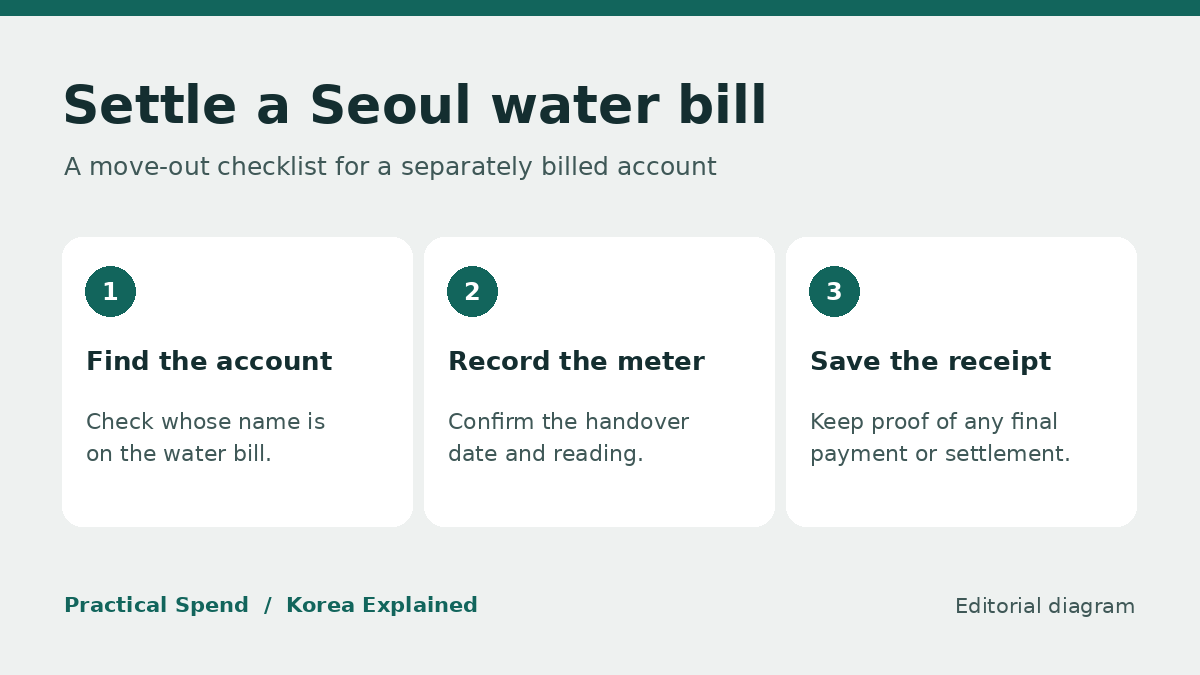
    When you move out of a Seoul home with its own Arisu water bill, locate the customer number and record the water meter on moving day. Arisu’s move-out settlement service shows how to calculate charges through the move date. If water is on your apartment’s management statement or your landlord receives the bill, first ask who prepares and collects your unit’s final charge. [1][2]

    Three-step diagram showing how to identify a Seoul water account, record the meter at handover, and save proof of the settlement.
    Original editorial diagram for a separately billed water account. This is not a screenshot of Arisu or a sample bill.

    Find out who bills your unit

    Look for a separate 수도요금 고지서, or water bill. On a paper Arisu bill, the portal says 고객번호 (customer number) is near the top left. On an electronic bill it is near the top right. The lookup form asks for the customer number and 사용자명, the user name recorded on the bill. If you cannot find the number, the portal has a lookup by Korean road-name or lot-number address and still asks for the recorded user name. [2]

    For a building-managed account, ask the 관리사무소 (building management office) or landlord to confirm the reading date, final charges for your unit, and who will provide the settlement statement. Agree on what happens if the statement arrives after you hand back the keys.

    Record the meter and check the settlement route

    1. On moving day, record the meter reading and the date. If the meter is locked or shared, ask management to identify the correct meter and record the reading with you.
    2. Open Arisu’s calculation and payment page. It lists account lookup, applicant identity verification, and entry of the moving date and meter reading. The next steps are an application for separate billing and payment through the methods shown in the portal. Arisu directs people who only need a calculation for a handover to stop after the calculation step. [1][2]
    3. Contact the water office if verification fails or the system gives no final amount. Arisu flags certain shared or special meter configurations, including groundwater accounts, as exceptions. Its calculation page also lists conditions that can block a separate bill, including arrears or an unread meter. Where shared charges apply or the current bill is still being finalized, ask which amount is included. [1][2]
    4. Save the settlement statement or receipt. If you enrolled in autopay or electronic billing, ask the office what needs to be canceled or changed for your account. Arisu’s move-out guide lists cancellation and name-change steps. [1]

    Seoul Water publishes an English directory of water supply offices with districts and telephone numbers. Arisu also lists Seoul’s 120 call center for phone inquiries. Ask your district office which verification and payment options apply to your account. [1][3]

    Official sources and claim checks

    Checked 2026-11-15 KST. Recheck the billing portal and your account-specific requirements before settling charges.

    1. Seoul Water — Arisu move-out settlement guide — meter on moving day, phone route, settlement and billing exceptions, accounts and cancellation.
    2. Seoul Water — Arisu calculation and payment form — customer number placement, name lookup, identity requirement, calculation, separate billing, and payment workflow.
    3. Seoul Water — English waterworks office directory — district coverage and office phone numbers.

    Scope of verification: No customer lookup, meter reading, identity verification, application, or payment was performed. The public form does not specify which identity methods work for foreign residents. Card acceptance and English support at individual offices were not verified.

  • How to Check Seoul’s Air Quality by District

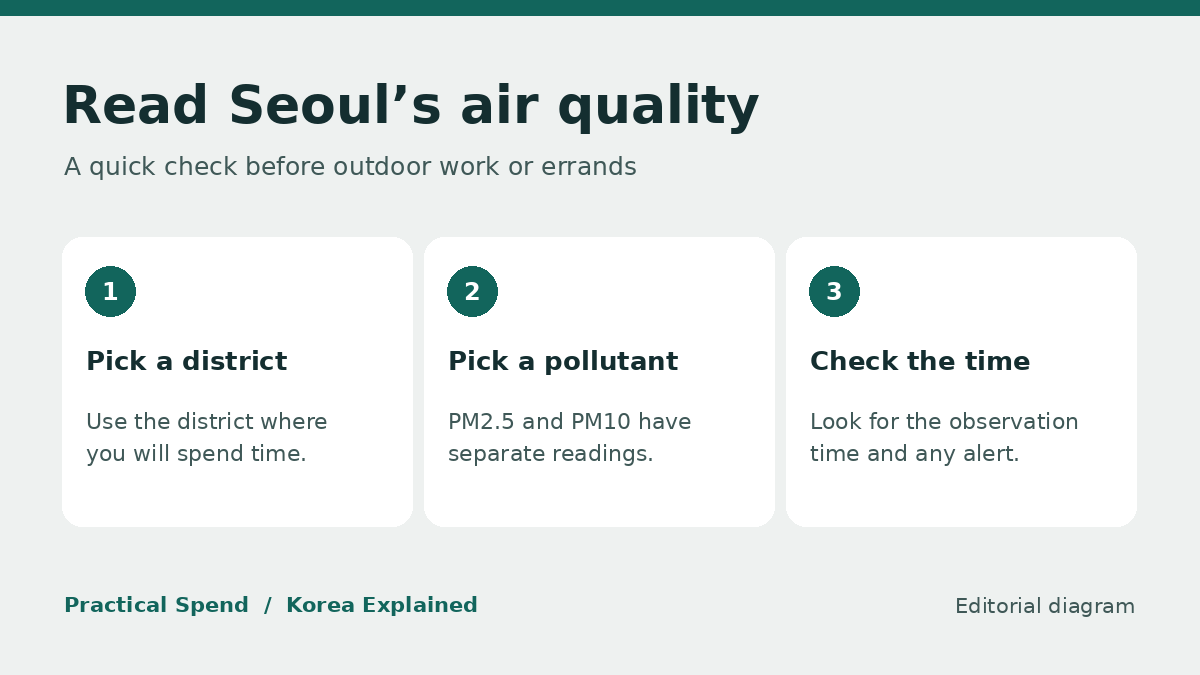
    If you need to know the air quality where you’ll work or run errands in Seoul, start with the city’s district air quality map and select the pollutant you want to check. Use the district where you’ll actually be. If the map shows no usable reading or timestamp, open AirKorea’s English hourly trends and look for a recent measurement for the area. [1][2]

    Three-step diagram showing how to select a Seoul district, choose PM2.5 or PM10, and check the measurement time and alerts.
    Original editorial diagram for checking outdoor air quality. This is not a screenshot of Seoul’s map or AirKorea.

    Start with the right location and pollutant

    1. Open the Seoul Air Quality page. Find your gu (구), or district, on the map. The city says the district name appears when you hover over it on a computer.
    2. Choose PM2.5, labeled fine particles, or PM10, labeled coarse particles on the English city page. In Korean you may see 초미세먼지 for PM2.5 and 미세먼지 for PM10. Each pollutant has its own legend. Read the category against the legend for the selected pollutant. [1]
    3. Check how recent the reading is. On AirKorea’s hourly trends page, use the Area controls and look for the latest plotted measurement. AirKorea displays particle concentrations in micrograms per cubic meter (µg/m³). The plotted measurements are hourly averages, while the reference lines for PM2.5 and PM10 represent 24-hour standards. Read them as two different time windows. [2]

    Check whether you’re looking at a forecast or an alert

    Seoul shows Air Quality Forecast and Air Quality Alert in separate sections. Read the pollutant and the issue time in each. For example, if you’re scheduling outdoor work in another district tomorrow, check that district’s latest available measurement and separately see when the forecast was issued. If a date shows zeros or a reading is blank, retry in a browser with scripts enabled or use AirKorea. [1][2]

    When you need help

    The English city page has map legends and alert labels. Its footer lists 02-120 for Seoul City Hall inquiries. For a station-level question, AirKorea provides a contact link and lists the Korea Environment Corporation air-measurement team at 032-590-3516. English phone support for that team was not verified. [1][2]

    Before heading out — Verify the district, pollutant, and time. For a later outing, open the forecast and alerts again before you leave.

    Official sources and claim checks

    Checked 2026-11-15 KST. Recheck live readings, timestamps, forecasts, and alerts before using the guide.

    1. Seoul Metropolitan Government — Air Quality — English district map, pollutant legends, separate forecasts and alerts, City Hall contact.
    2. AirKorea — Hourly Trends — area selectors, hourly measurements, particulate concentration units, 24-hour reference lines, and agency contact.

    Scope of verification: The city page’s live values and map interaction were not confirmed in a full browser session. No observation or alert from the check date is reported. Confirm a populated station reading and time before relying on it.

  • What to Do If You Lose Something on the Seoul Subway

    What to Do If You Lose Something on the Seoul Subway

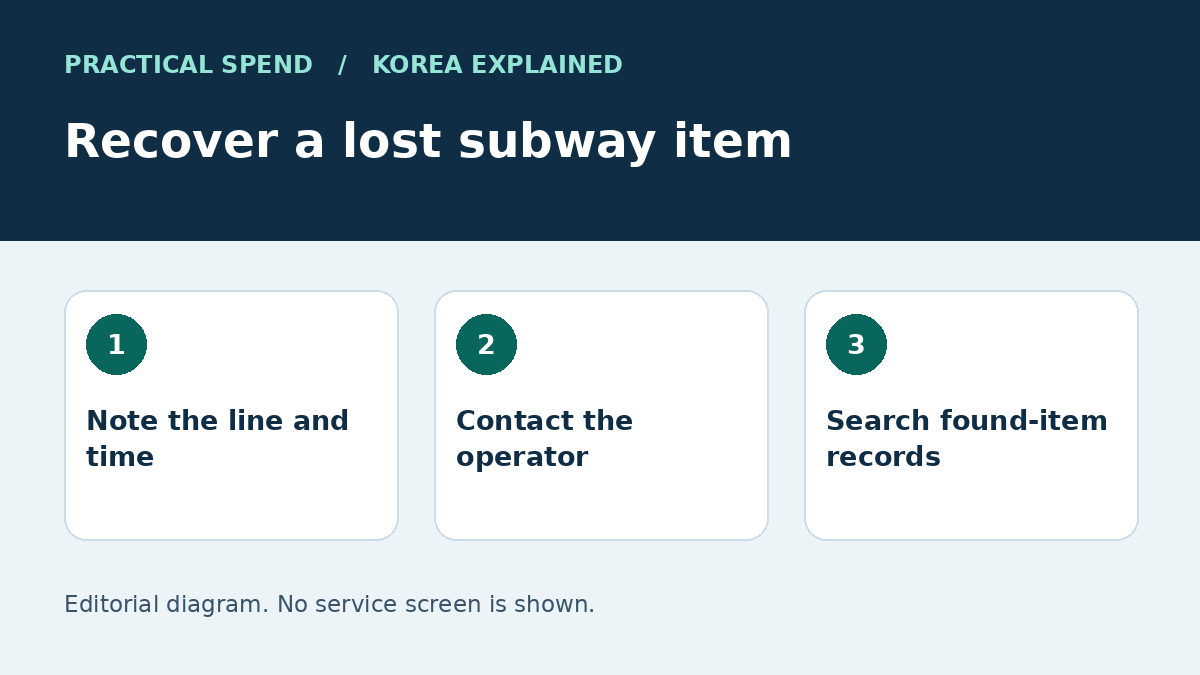
    Three steps for subway lost property: note the line and time, contact the operator, and search found-item records.
    AI-created editorial explanation by Practical Spend. This is not a service screenshot.

    If you left an item on the Seoul subway and are still at the station, speak to station staff first. If you have already left, contact the operator with your line, direction, and approximate time. Use the operator’s current lost-and-found directory to find the center for your line. For a service operated by another company, use that operator’s contact information. Check the national police found-item listings if there is no immediate match.

    Reconstruct the trip before you call

    Write down the station where you boarded, where you got off, the direction of travel, and a time range. Add the train or car number if you already know it. If you transferred, list each leg and the last place you remember having the item. This helps staff decide which part of the journey to check.

    Describe the item’s color, type, and a recognizable detail. “Dark blue pouch with a yellow zipper” is easier to work with than “a bag.” Keep a detail that can help you verify a possible match.

    Search records and confirm who has the item

    Use the official lost-property directory to find the appropriate office. For national listings, open Police Civil Service 24 — Found-item search. Its information page identifies both Korean and foreign users as eligible and gives the route 민원서비스 (Civil services) → 민원 신청·안내 (Applications and information) → 습득물 검색 (Found-item search). In a Korean search menu, 습득물 means found items and 분실물 refers to lost items. For an item that may already be logged, start with found items. Try a broad item description and a date range around the trip. If there is no result, check with the operator and search again later.

    If a listing looks right, save the reference number and call the listed holder before traveling. Ask whether the item is still there, where and when you can collect it, and what proof or ID you should bring. Keep sensitive details off public posts and use the official channel when staff ask for verification.

    Example: “I left a navy pouch on Line 4 around 8:10 a.m. I boarded at Myeong-dong and got off at Seoul Station. The pouch has a yellow zipper. Which office should I contact?” The details are fictional.

    Official sources and evidence

    • Confirmed in official documentation — Operator centers and Police Civil Service 24 route. Rechecked November 14, 2026. Seoul Metropolitan Rapid Transit Engineering — Lost and Found
    • Confirmed in official documentation — Current found-item search information and navigation, including foreign-user eligibility. Rechecked November 14, 2026. Police Civil Service 24 — Found-item search
    • Editorial guidance — Checklists, suggested questions and hypothetical examples are editorial applications of the cited guidance.
    • Unverified and hands-on status — No report, call, or claim was made. The current Police Civil Service 24 information page was opened successfully; no individual-item query or identity-verification flow was completed. The legacy LOST112 link has been replaced. English phone support and exact handover documents were not confirmed.
  • How to Dispose of Bulky Furniture in Seoul: A Gangnam Example

    How to Dispose of Bulky Furniture in Seoul: A Gangnam Example

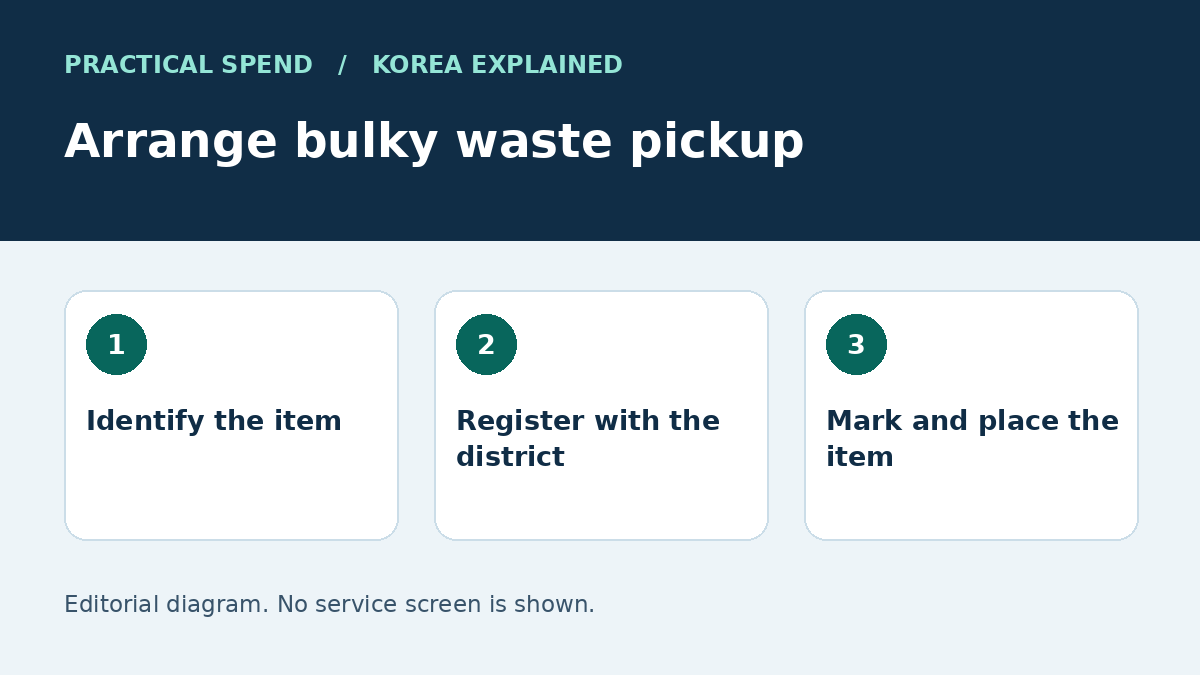
    Three steps for bulky furniture pickup: identify the item, register with the district, and mark and place it as instructed.
    AI-created editorial explanation by Practical Spend. This is not a service screenshot.

    To get rid of a mattress, desk, or other bulky furniture in Seoul, start with the district that serves your pickup address. Look for 대형폐기물 (bulky waste) on the district’s website. The district’s item category, fee, reporting deadline, and collection instructions determine what to do. If you live in an apartment, also ask building management where residents leave registered items.

    Get the item and pickup details right

    Write down the item type, quantity, and dimensions. If a bed frame and mattress are listed separately, follow the district’s instructions for each piece. For an appliance, ask the district which collection route applies before filing it as furniture or paying a fee.

    Use your district’s official application or listed telephone route. Keep the registration number and any payment confirmation until the pickup is complete. Check what information needs to appear on the item and where and when to put it out.

    Gangnam-gu example

    Gangnam’s current resource-circulation portal requires advance registration. It says collection takes place sequentially within one to three days of the disposal date selected in the application, Monday through Saturday excluding Sundays and public holidays. This is not a rule to apply three days before disposal. Check the listed item and size for the applicable fee. If online registration is difficult, the portal lists 1522-3833 for telephone assistance.

    The district’s guide points apartment residents to their complex’s collection area and gives different instructions for detached and multifamily homes. Ask building management for the exact spot and confirm the placement instructions with the district or contractor. Attach the printed receipt or write the registration number and attach it to each item, following the portal’s instructions. Do not add unnecessary personal details to a publicly visible label.

    A move-out checklist

    • Match the pickup address to the district and select the item and size.
    • Check the fee, registration deadline, and planned pickup before paying.
    • Save the receipt and confirm the drop-off location with building staff.
    • If the furniture is still there after the expected pickup, call with your registration number.

    Start the process before moving day. If you cannot tell which category applies to a dismantled item, send the district or contractor the dimensions and ask which listing to use.

    Official sources and evidence

    • Confirmed in official documentation — Current registration route and telephone fallback. Rechecked November 14, 2026. Gangnam-gu — Current bulky-waste application
    • Confirmed in official documentation — Advance registration, collection timing, item/size fees, labels and disposal locations. Rechecked November 14, 2026. Gangnam-gu — Current bulky-waste guide
    • Editorial guidance — Checklists, suggested questions and hypothetical examples are editorial applications of the cited guidance.
    • Unverified and hands-on status — No pickup or payment was submitted. Actual item fee, building drop-off location and English assistance depend on the address and were not tested.
  • How to Find the Seoul Community Service Center for Your Address

    How to Find the Seoul Community Service Center for Your Address

    To find the Seoul community service center serving your address, start with the district on your Korean road address. Look for the responsible neighborhood office, then call with your service name before visiting. A map can find an office nearby, but the center serving your address may have a different name or be farther away.

    Find the district and the responsible center

    In an address, 구 (gu) means district. 행정동 (administrative dong) refers to the neighborhood unit used for local administration. A 동주민센터 (dong community service center) is the neighborhood office. If your address includes a neighborhood name, use it as a starting point and confirm which office covers the building.

    1. Copy the district, road name and building number from the Korean address.
    2. Use the district’s official website to find its community service center directory or general contact number. Treat the directory as a contact list, not confirmation that a particular office handles your address.
    3. Check the district’s official directory for the office address and phone number. If the result is unclear or several offices have similar names, ask the district to identify the correct one.

    Confirm the office in the district directory

    Do not choose an office solely because its name resembles part of your address or because it is the closest result on a map. Ask the district or the city’s English helpline to identify the office for the exact road name and building number. Save the answer together with the office’s current contact details.

    When calling, you can say: “이 주소의 관할 주민센터가 어디인가요?” (“Which community service center serves this address?”) Give the road name and building number. Then say what you need to do. If you have a document request from another organization, ask for the exact Korean document name before calling.

    Confirm the service before you go

    An office directory does not establish eligibility for your request as a foreign resident. Ask whether that office handles the procedure, which identification or supporting documents it accepts, whether you need an appointment, and whether staff can assist in English. Keep a note of the office name, desk and visit hours once confirmed.

    For general municipal routing in English, call Seoul’s Dasan Call Center at 02-120, then 9 and 1, on weekdays from 9 a.m. to 6 p.m., excluding public holidays.

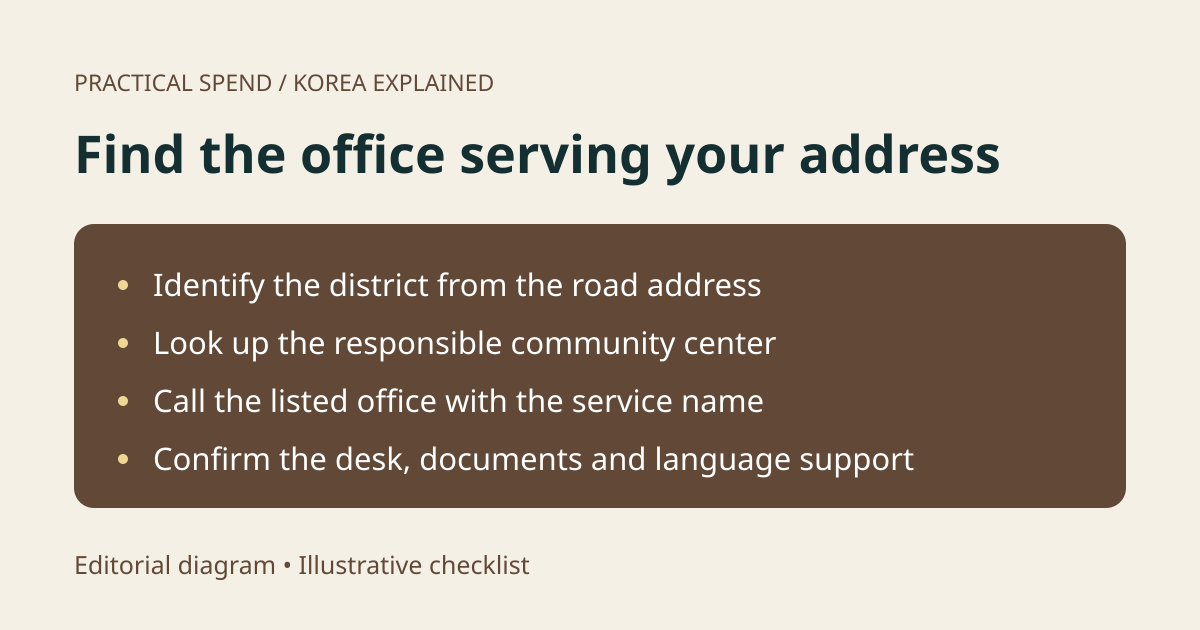
    Diagram showing how to identify a district, find the responsible community center, call with the service name, and confirm the desk and documents.
    Editorial diagram of the office lookup process. This is not an official address lookup screen. Original AI-assisted editorial diagram.

    Scope and limitations

    No jurisdiction was tested with a private address, and no office was called or visited. Confirm the current office location, hours, appointment rules, accepted ID and language support for your specific request.

    Official sources

  • How to Cancel a KORAIL Ticket and Check Your Refund

    How to Cancel a KORAIL Ticket and Check Your Refund

    To cancel a KORAIL train booking, first identify the seller on your confirmation. KORAIL provides an English ticket lookup and a My Ticket area in its app, but the correct cancellation route depends on where you purchased the ticket. Use your booking’s current terms rather than assuming that every ticket has the same refund rules.

    Find the seller and the booking

    Open the original confirmation and note the seller, passenger, train number, journey date and departure time in Korea. For a return journey or a booking with several passengers, identify exactly which ticket you intend to cancel. Do not cancel the whole booking by mistake when only one traveler’s plans have changed.

    The operator’s Korail+ app listing describes a My Ticket section. KORAIL also provides an English Check/Refund Ticket lookup. Use the official booking channel and the details requested on its form. A lookup option is not proof that every ticket sold through another company can be changed there. If a travel agency or reseller took the payment, start with that seller’s cancellation instructions.

    Read the refund before confirming

    Keep the scheduled departure time visible while checking your options. Do not assume that a cancellation request remains available indefinitely. If the booking cannot be found or the instructions are unclear, contact the seller promptly through the contact details in your confirmation or its official help page.

    When the booking channel presents a refund amount, compare it with the original payment and read any explanation of deductions. Check that the passenger, journey and currency are correct. If the amount or scope is unclear, ask the seller before confirming. This guide does not provide a cancellation-fee table because the applicable terms must be checked for the actual ticket.

    KORAIL announced a limited post-purchase fee waiver in an October 8, 2026 service update. That announcement is not a guarantee that your ticket qualifies. Do not plan around a waiver unless the current terms for your booking and sales channel confirm it.

    Save evidence and check the outcome

    After submitting the cancellation, save the confirmation, ticket reference, date and any stated refund amount. Check that the booking channel actually shows the intended ticket as canceled; closing a form or sending an inquiry alone is not confirmation.

    If the seller confirms cancellation but a card credit has not appeared, keep that confirmation and ask the seller and card issuer about the next step. Do not assume a specific posting time. If you are using a KORAIL Pass rather than an individual journey ticket, consult the Pass-specific terms instead of treating this checklist as its refund policy.

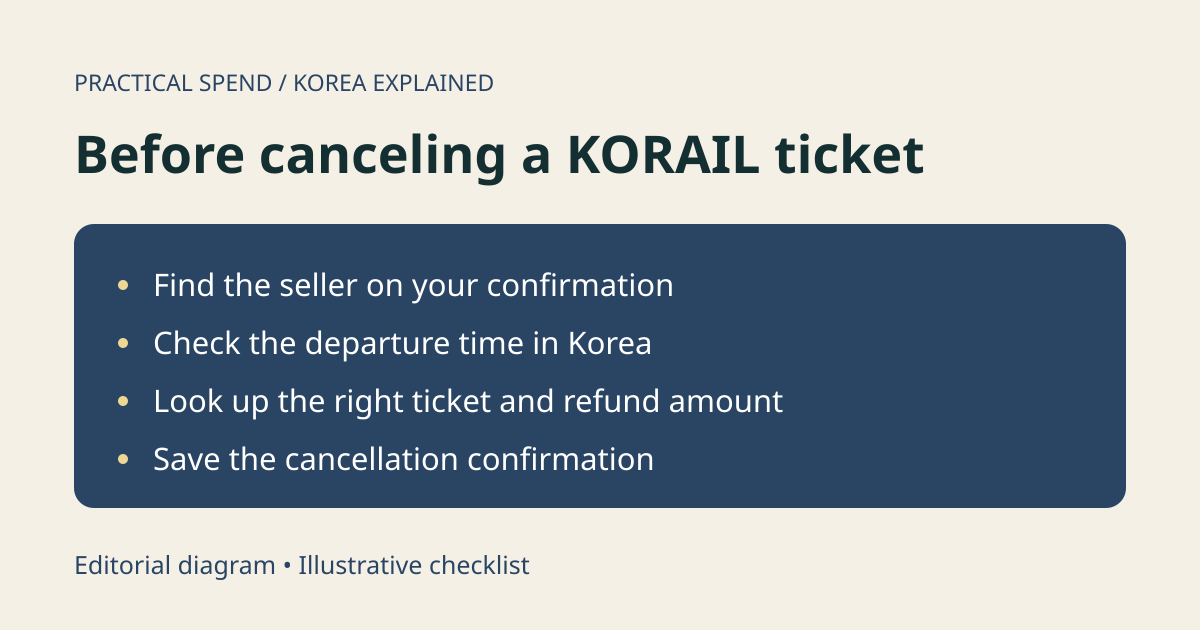
    Checklist for finding the seller, checking the departure time, previewing the refund, and saving the cancellation confirmation.
    Editorial diagram of the cancellation checks for an individual train ticket. This is not a KORAIL service screen. Original AI-assisted editorial diagram.

    Scope and limitations

    No fare was purchased or canceled. Refund fee and card posting time for a specific booking, English phone availability, and whether any fee waiver appears in a particular foreign-language sales channel were not verified. Recheck when canceling.

    Official sources

    • KORAIL, booking lookup in English — Checked November 14, 2026. Confirms the English Check/Refund Ticket form and its fields. Compatibility with every sales channel was not confirmed.
    • KORAIL, Korail+ app listing — Checked November 14, 2026. The operator’s listing confirms My Ticket and multilingual support. The exact refund controls were not exercised.
    • KORAIL, October 8, 2026 service update — Checked November 14, 2026. Confirms that a limited post-purchase waiver was announced. This draft leaves ticket- and channel-specific eligibility to the provider.
  • How to Write a Korean Mailing Address in English

    How to Write a Korean Mailing Address in English

    To receive mail from overseas in Korea, look up the official English road-name address, confirm the five-digit postal code, and add any apartment or suite details the recipient gives you. On a free-form mailing label, put “Rep. of Korea” on the last line, as Korea Post advises.

    Start with the building address

    Ask the recipient for their Korean road-name address (도로명주소). Search the road name and building number on the government’s English address lookup. If all you have is the old lot-number address (지번주소), use the government address portal to find the corresponding road-name address. Copy the romanized spelling and postal code from the same result. If several buildings come back, ask the recipient to confirm the building number and district before you send anything.

    Add the delivery details the search cannot supply for you

    Confirm the detailed address (상세주소) separately. In an apartment complex, 동 can identify the building and 호 identifies the unit. On a shop or office address, 층 indicates the floor. Keep both numbers when the recipient supplies them. An apartment name can help someone recognize the complex, but the building and unit numbers tell the carrier where to take the item.

    Use this template for a free-form label:

    Recipient or business name
    Building and unit or floor and suite, if applicable
    Building number and road name, district, city or province as applicable
    Five-digit postal code
    Rep. of Korea

    For a checkout that uses separate boxes, follow the field labels. Put the road address in the street field and the unit in an apartment or second address field if the form provides one. Use the dedicated postal-code and country fields. If the preview drops an essential field or merges the unit with the wrong building number, ask the sender or carrier how it will print.

    Check the label before the parcel leaves

    Send the recipient the final label text and have them verify the road, building number, unit and postal code. This workflow applies to anyone preparing an address for postal items destined for Korea. Private couriers and checkout forms can use different field layouts. Korea Post lists 1588-1300 for postal inquiries and provides its address guidance in English. For sender-side label validation, contact the carrier accepting the shipment.

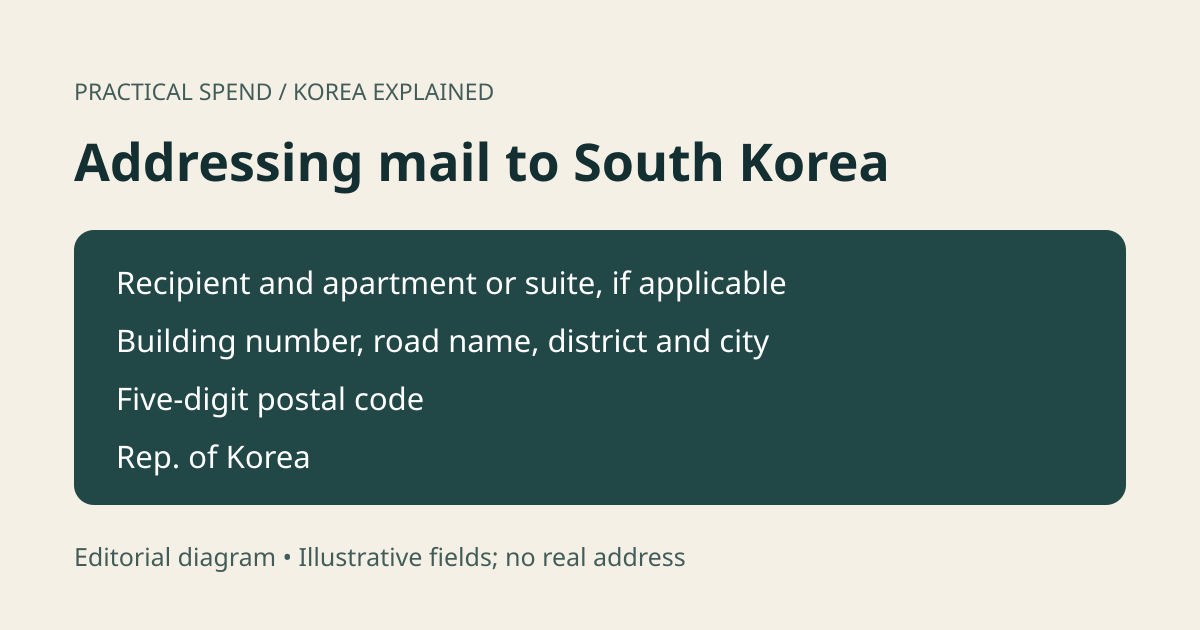
    Diagram showing the recipient and unit, road address, five-digit postal code, and destination country on an inbound mailing label.
    Editorial diagram of the fields to check when addressing mail to South Korea. This is not a service screenshot or a real mailing address. Original AI-assisted editorial diagram.

    Scope and limitations

    A live Juso address search, carrier-specific form validation, and delivery of a test letter were not performed. Recheck the sender’s form and accepted label format before dispatch.

    Official sources